October 2026 has been one of the busiest months in Apple’s history, and it isn’t over yet, with another Apple event planned for tomorrow. With so much to write about, I want to send a big thank you to SaneBox for sponsoring iPhone J.D. this month.
SaneBox improves your email Inbox. It is a service that works in the background at the server level, so you can keep using the Inbox in your current mail program the same way you always do. But with SaneBox, your Inbox suddenly feels much better. This is mainly because your Inbox shifts from being overpopulated with unimportant stuff to a short list of the most important messages. Thus, when you open your Inbox, you see only the good stuff that matters. But that is not all; SaneBox also gives you powerful features that make your email smarter.
SaneBox keeps your Inbox tidy by moving less important emails, such as newsletters, to subfolders. That way, you can deal with them when you have time, and it is often faster to handle these items because they are all together in a subfolder. Additionally, if you tell SaneBox you never want to see email from a sender again, it goes to the SaneBlackHole folder. It is so satisfying to move an item into the SaneBlackHole folder, knowing that I’ll never be interrupted by that sender again. (If I later change my mind, I can always just move an email out of SaneBlackHole and back into Inbox to train SaneBox that I now want those emails. But I think I’ve only done that once in my many years of using SaneBox.)
And that’s just the beginning. SaneBox also gives you lots of tools that you can (optionally) enable to make you more productive. For example, I love the SaneNoReply folder. It gives you an overview of all the emails you’ve sent—emails that you initiated—that haven’t yet received a reply. Sometimes, no reply is necessary. (If you don’t need a response, simply delete the email from SaneNoReplies, and SaneBox will stop tracking it.) But I often skim the emails in this folder, then see something I did need a reply to, and this SaneBox folder reminds me to follow up.
What if you know you need a reply by a certain date (or time)? SaneBox can help you when you use the SaneReminder feature. When you send the email, BCC an address that tells SaneBox when you need a response. For example, you can use “1.day@sanebox.com,” “2.weeks@sanebox.com,” or a day of the week such as “monday@sanbox.com” or “mon@sanbox.com.” If there’s no reply within that time period, the email will resurface in your Inbox for your attention.
Put it all together, and SaneBox makes your Inbox simpler and more powerful. All at the same time.
I’ve been paying for and using SaneBox for many years, and I find the service well worth it. For my iPhone J.D. emails, when I look at the Inbox, I can quickly focus on the messages that matter the most to me, such as a reader sending in a suggestion with a news story for my Friday In the News post or interactions with someone who matters to me. Every once in a while, I’ll check the SaneNews folder to see newsletters I subscribe to, or the SaneLater folder to see messages SaneBox thinks are less important, but those messages don’t crowd my Inbox.
SaneBox has been especially useful with my Gmail. I have used my Gmail account for many years for online purchases, so companies send me tons of emails. Before I started using SaneBox, my Gmail Inbox was always so full of unimportant emails that I sometimes missed the important ones. Now, I see only a few emails in my Gmail Inbox, and they’re the important ones. When I want to take time to look at less important emails, I check my SaneNews and SaneLater folder for newsletters and other less important emails. And of course, whenever I see an email from a company that I never want to hear from again, it goes to the SaneBlackHole folder.
If you want to try out SaneBox to see what a huge difference it can make in your life, click here to get a 14-day free trial with no credit card required. If you don’t like having a clean, tidy Inbox and decide to go back to how you had it before, no sweat. But if you appreciate having a better way of working with email, using this link in this post will give you a generous $25 credit when you pick a plan—and there are lots of different plans offered so that you can choose the one that gives you just what you want.
Thanks again to SaneBox for sponsoring iPhone J.D. and for giving all of us a more efficient way to work with email.
The iPhone Duo is an engineering marvel. It is a delight to use. And I’m canceling my pre-order because I absolutely do not want one.
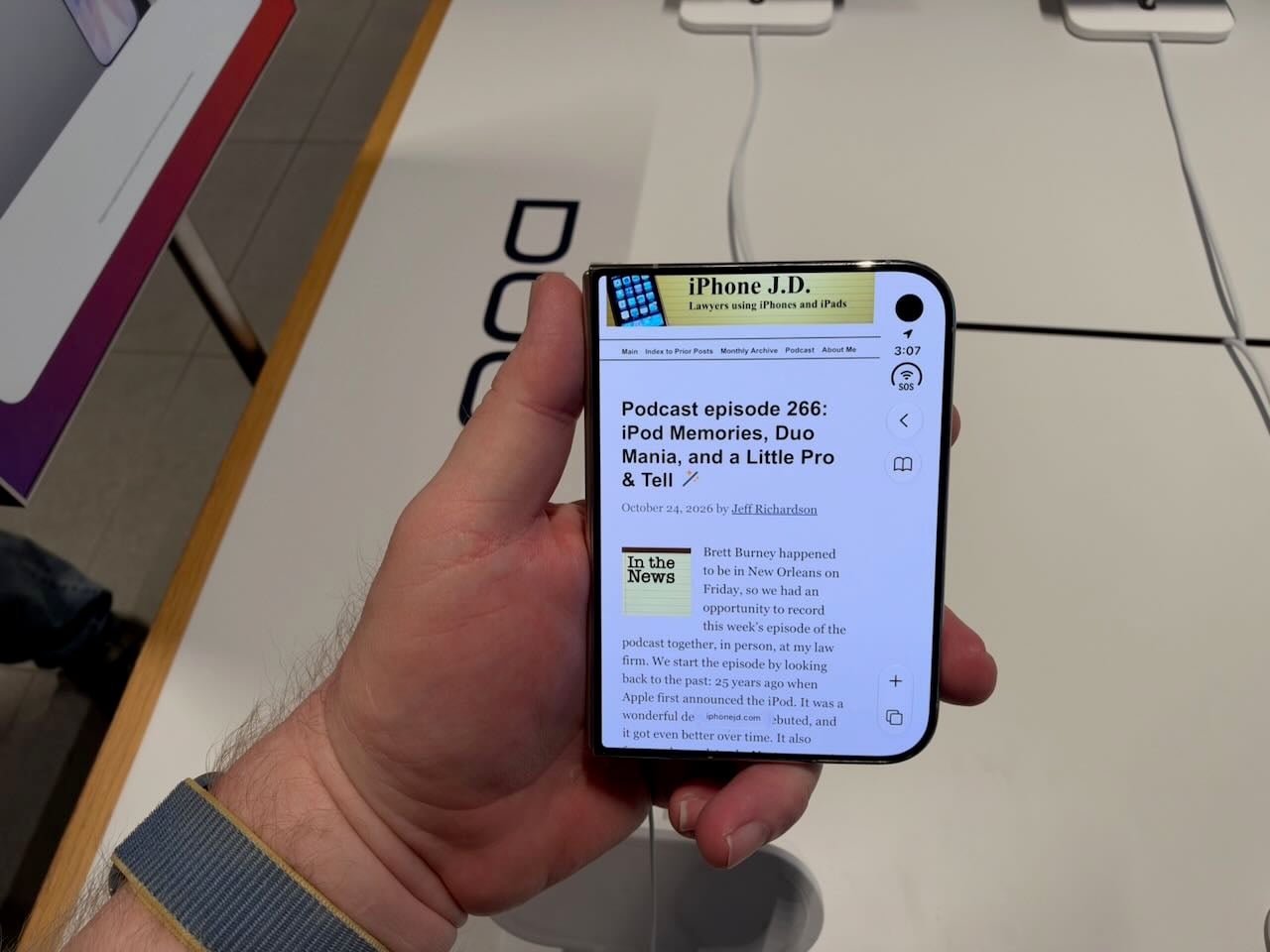
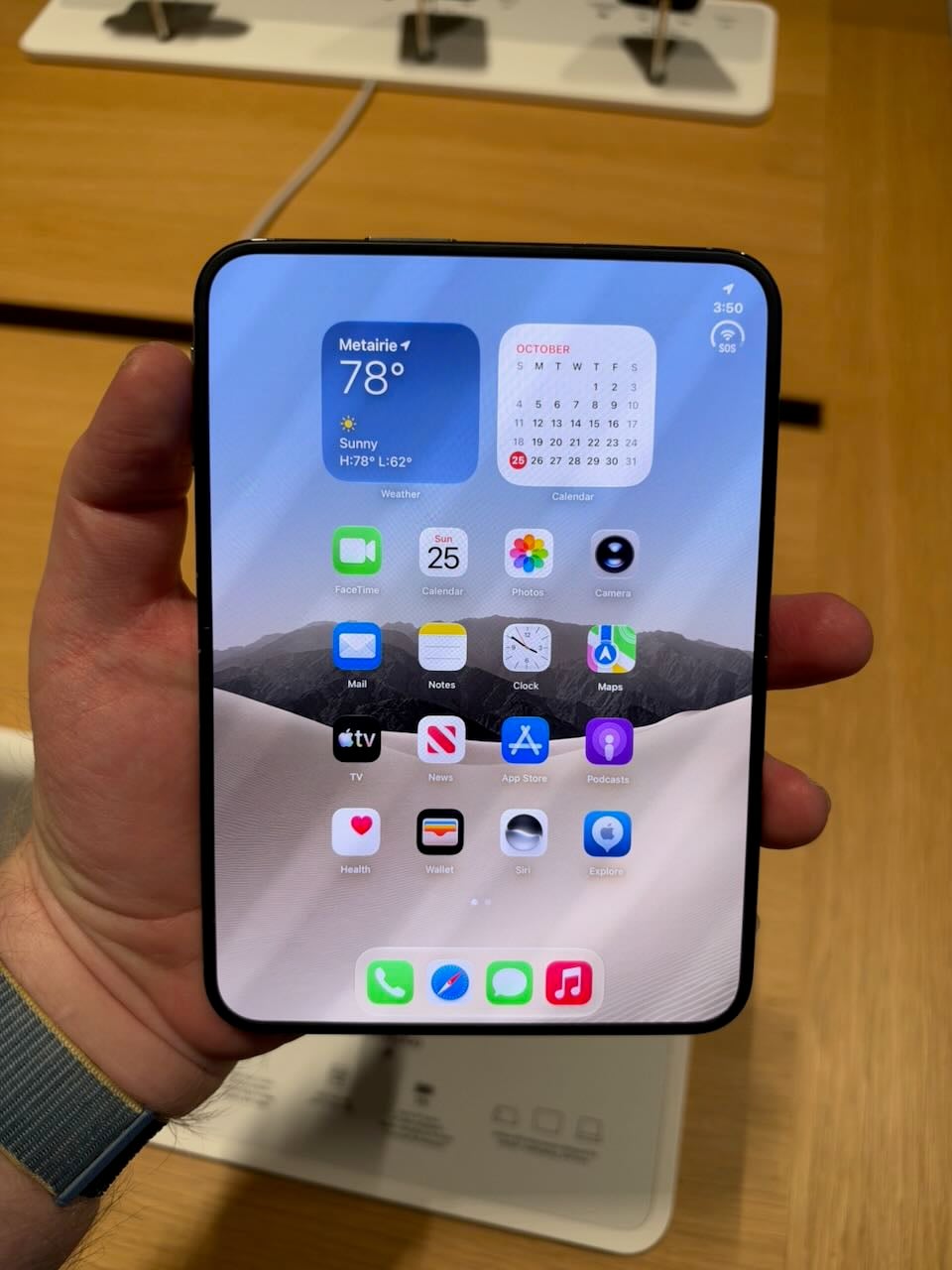
The iPhone Duo that I ordered was scheduled to arrive next week. Rather than continuing to wait to have one in my hands, I visited my local Apple Store on Sunday, October 25th, to see if I could try a floor model for a few minutes and get a sense of this new device. Even though the store was bustling, plenty of demo units were available. As a result, I was able to spend over an hour with the iPhone Duo. I tried out every app. I opened and closed it countless times. I tried every camera, every button, every software experience that is unique to the iPhone Duo, and more. I couldn’t install third-party apps, which meant I couldn’t experience some of the apps that take full advantage of the iPhone Duo, such as Netflix, Flighty, Carrot Weather, etc. And because the demo units don’t require authentication, I couldn’t draw my own conclusion about whether the lack of Face ID is a shortcoming or whether Touch ID suffices.
As a result, this isn’t a typical iPhone J.D. review because I didn’t have the product for multiple days. And yet I don’t think that my opinion would change with more time. I am beyond impressed with this incredible device. At the same time, I have no doubt this isn’t the iPhone I would want to use, and I suspect that I am far from alone in that opinion.
The iPhone Duo is too small
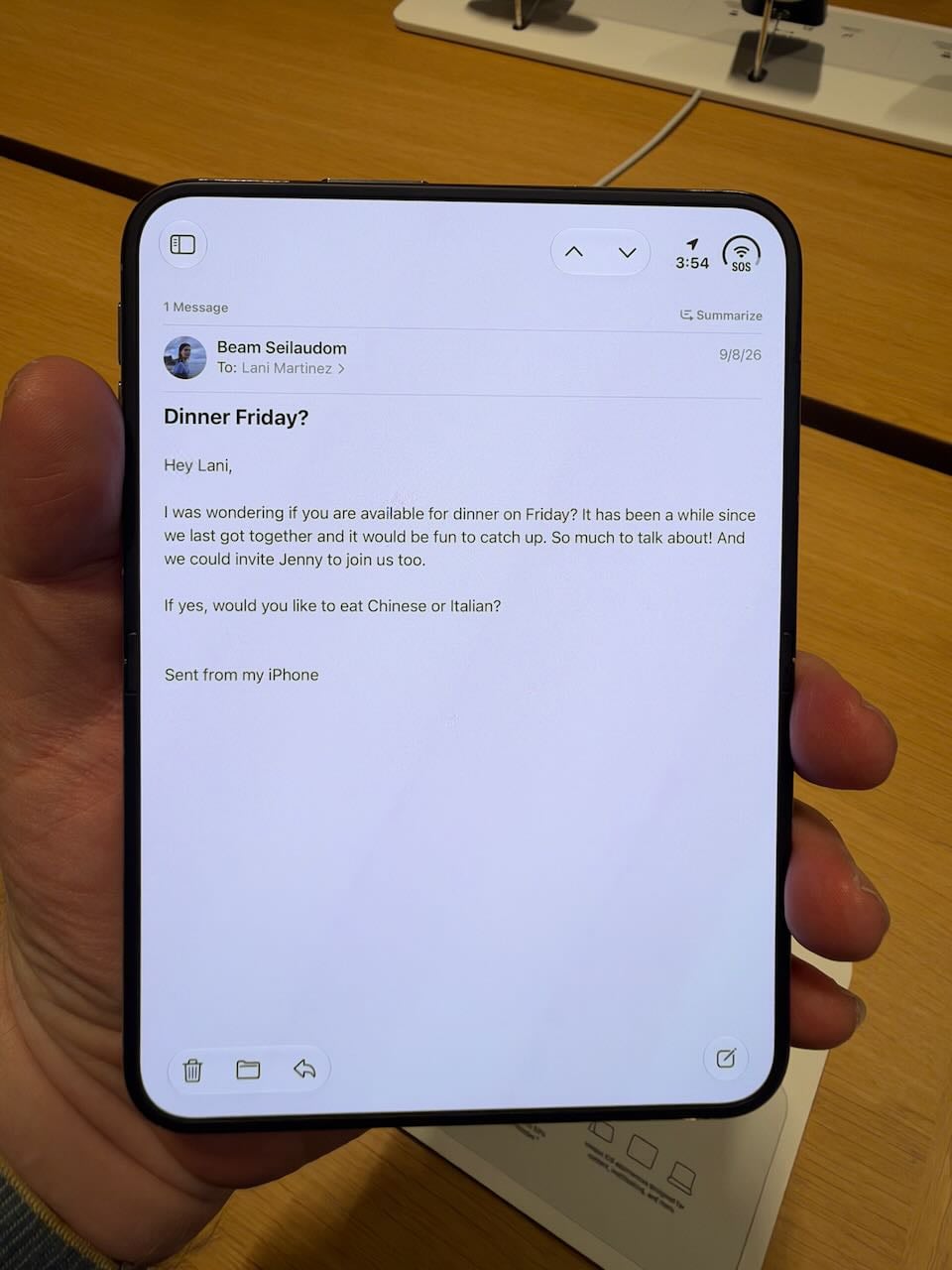
The iPhone Duo is not a good iPhone because the screen is too small. The passport size does have some advantages. For example, when I put the Duo in a shirt pocket, it fits completely without any part sticking out. It reminds me of using a Palm device long ago. It’s a great size for a shirt pocket or a pants pocket. But when you remove the device from a pocket, the screen is too small.
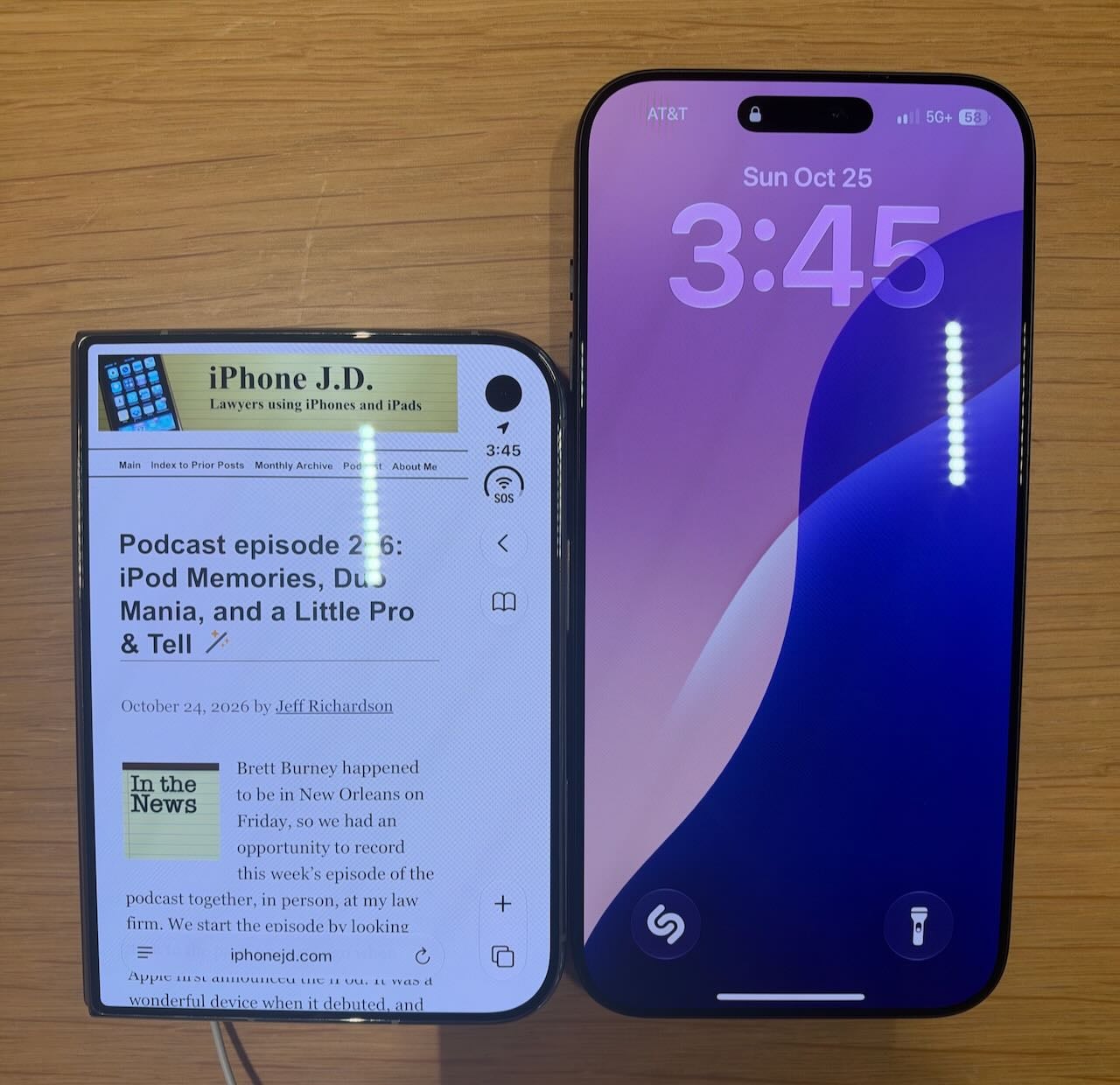
When closed, the iPhone Duo is just a tad wider than my iPhone 18 Pro Max. However, it feels narrower because the right side of the screen holds menu items. The height, by contrast, is significantly shorter no matter how you measure it. As a result, when you are looking at information on the screen, you just cannot see that much at a time.
As someone who has used the “Max” model for a few years now, I’m used to a larger iPhone that can display more information. The contrast with the Duo is stark. If your iPhone’s lock screen is similar to mine, with a clock near the top, imagine if the height of your iPhone were limited to everything below the clock, plus narrower. It’s a severe limitation.
The experience of using apps that I use all of the time on my iPhone—Mail, Safari, Photos, Calendar, etc.—was significantly worse because of the small size of the iPhone screen. Using the iPhone Duo reminded me of examples John Gruber shared in his review, in which he noted that some apps become downright confusing to use because it is hard to find critical buttons on a screen this small.
If I were to make the iPhone Duo my main iPhone, I would be frustrated every day.
No telephoto lens
In 2023, Apple introduced the iPhone 15 Pro Max with a 5x optical zoom lens. It made a big difference and allowed you to capture many photos that were impossible with other iPhone models. If you have been using an iPhone with a telephoto lens for the past few years, as I have, you know how useful it is.
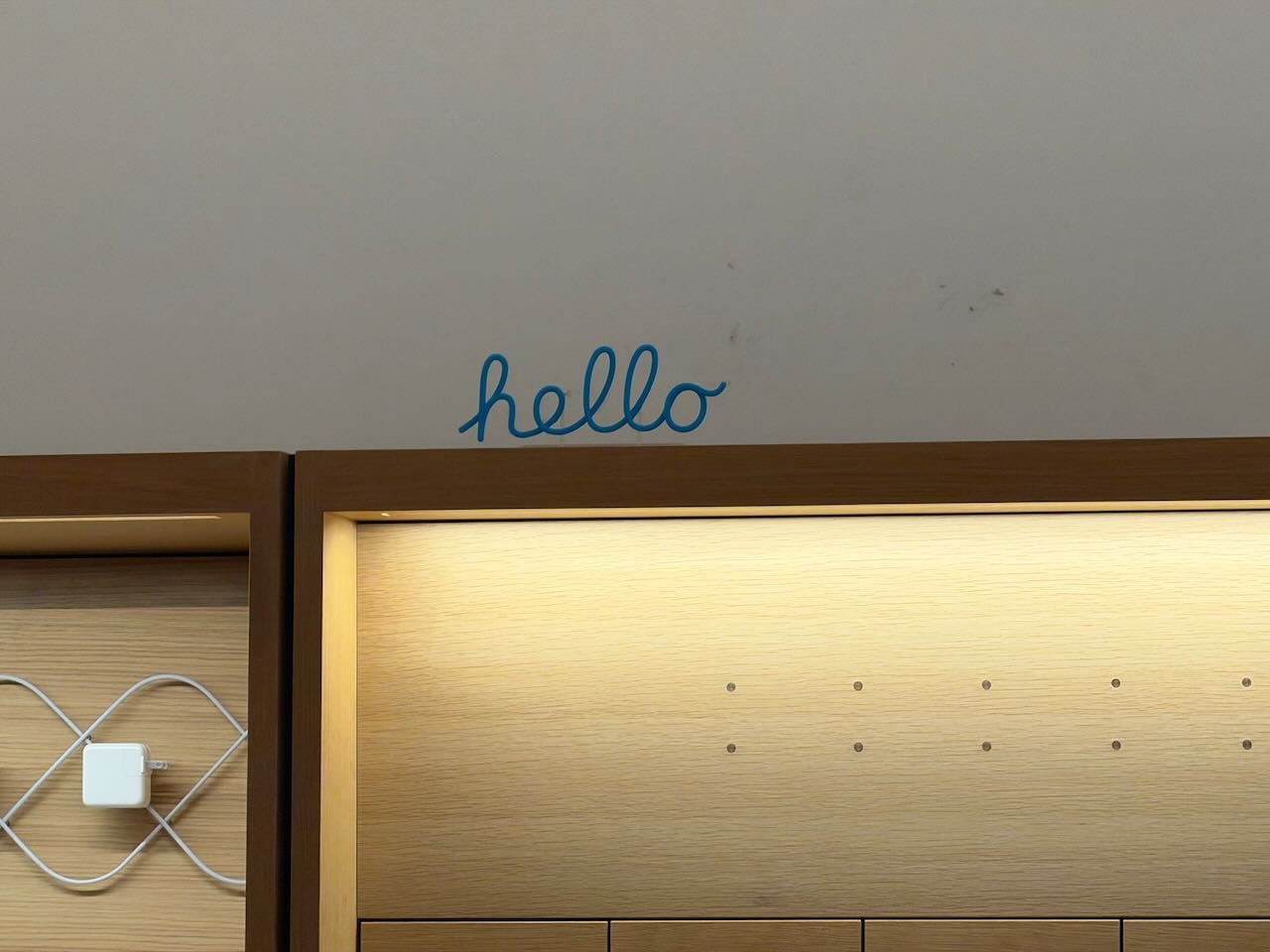
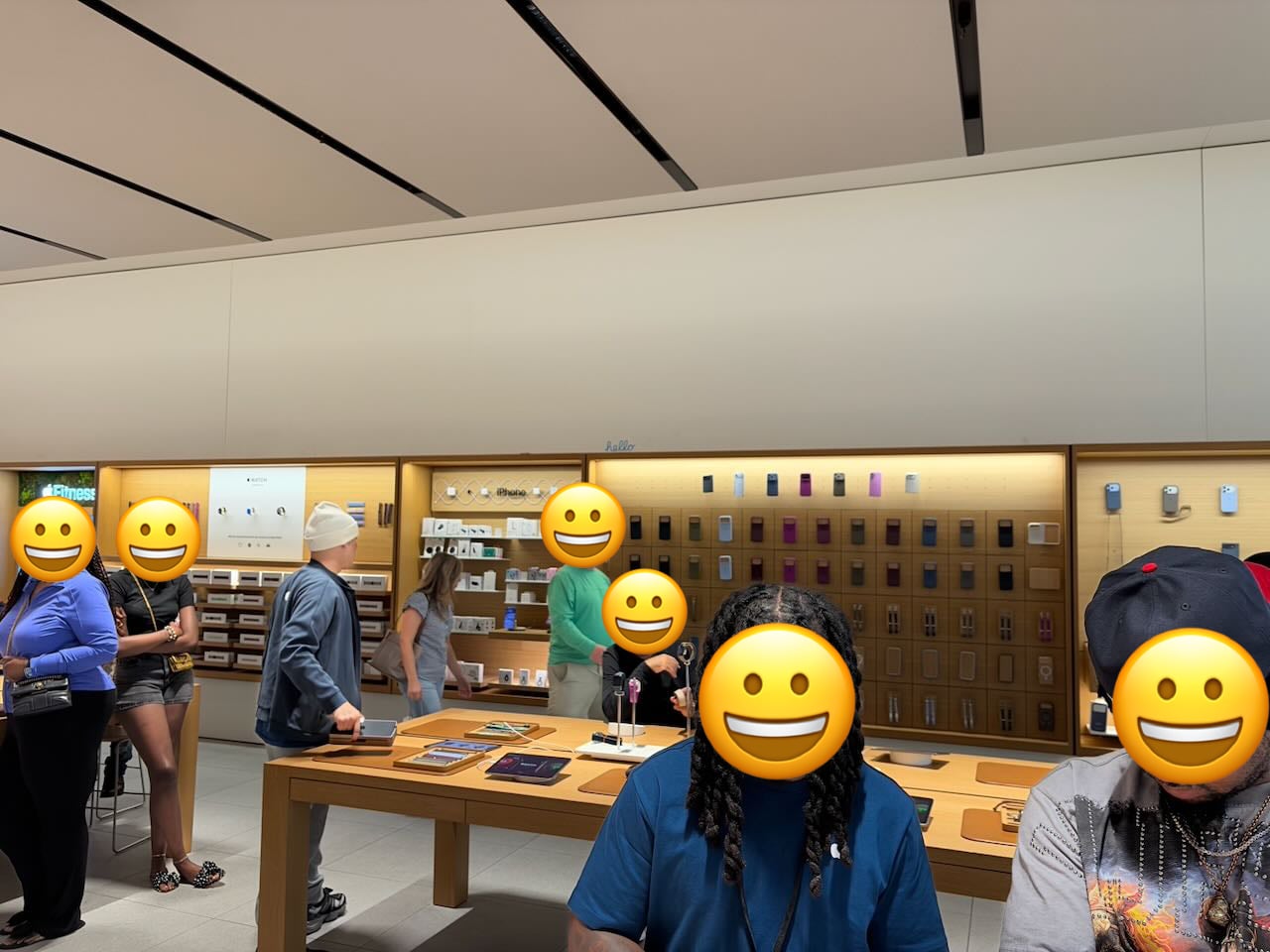
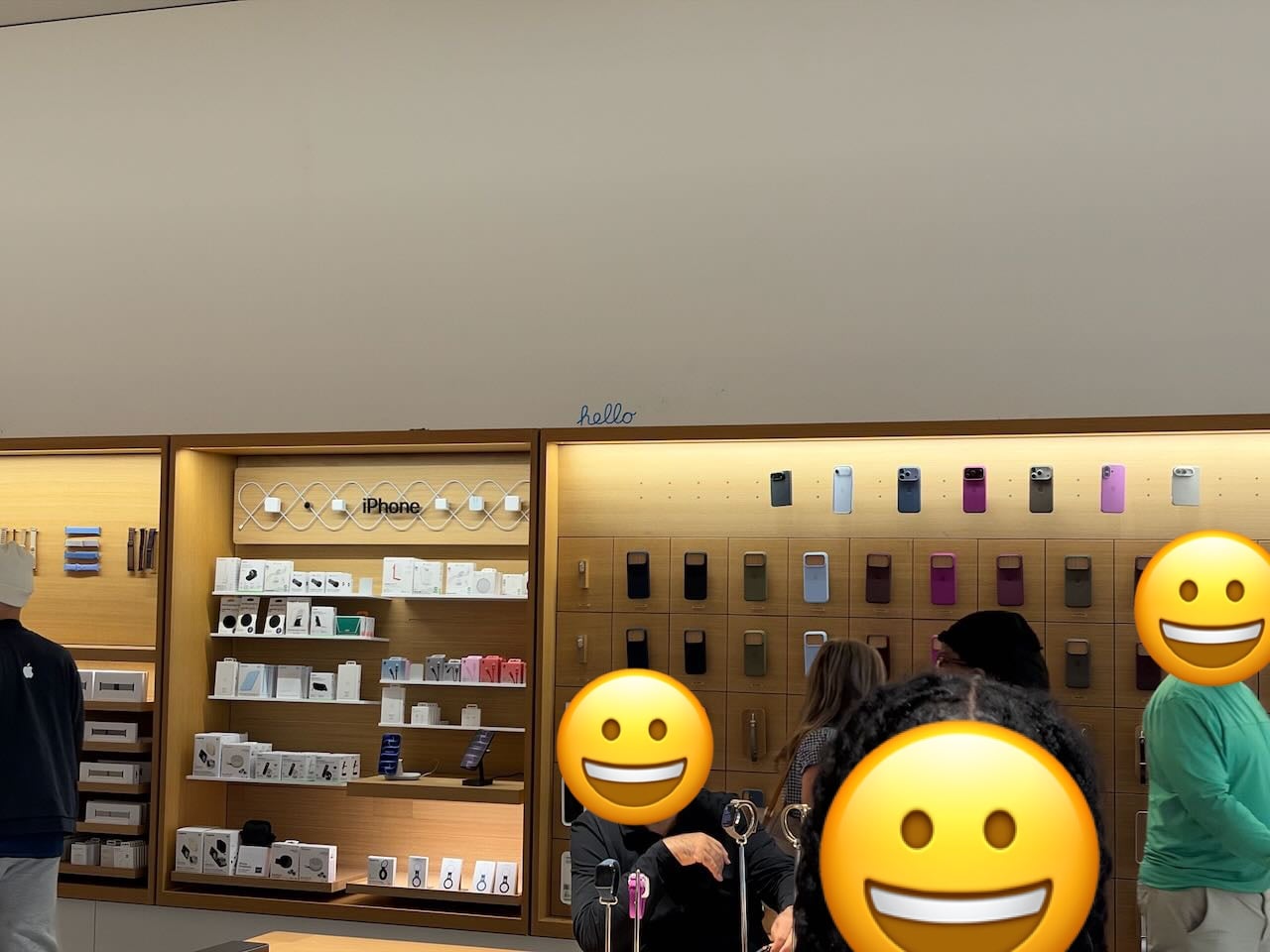
I believe every Apple Store now has a small “hello” sign on the wall, placed there so you can try out a telephoto lens. Here are two pictures taken with my iPhone 18 Pro Max: one at 1X and one at 8X. The telephoto lens makes a substantial difference:
The iPhone Duo has only two camera lenses: the Main camera and the Ultra Wide camera. So, when you want to zoom in, your only option is 2X, which is just a crop of the 1X image. Here are two pictures taken with an iPhone Duo, one that is 1X and one that is 2X:
If you have never used an iPhone with a telephoto lens, then I guess that this won’t be a noticeable omission for you. But I love taking photos with my iPhone, and I often use the telephoto lens, so I would be unhappy using a device like an iPhone Duo that lacks it.
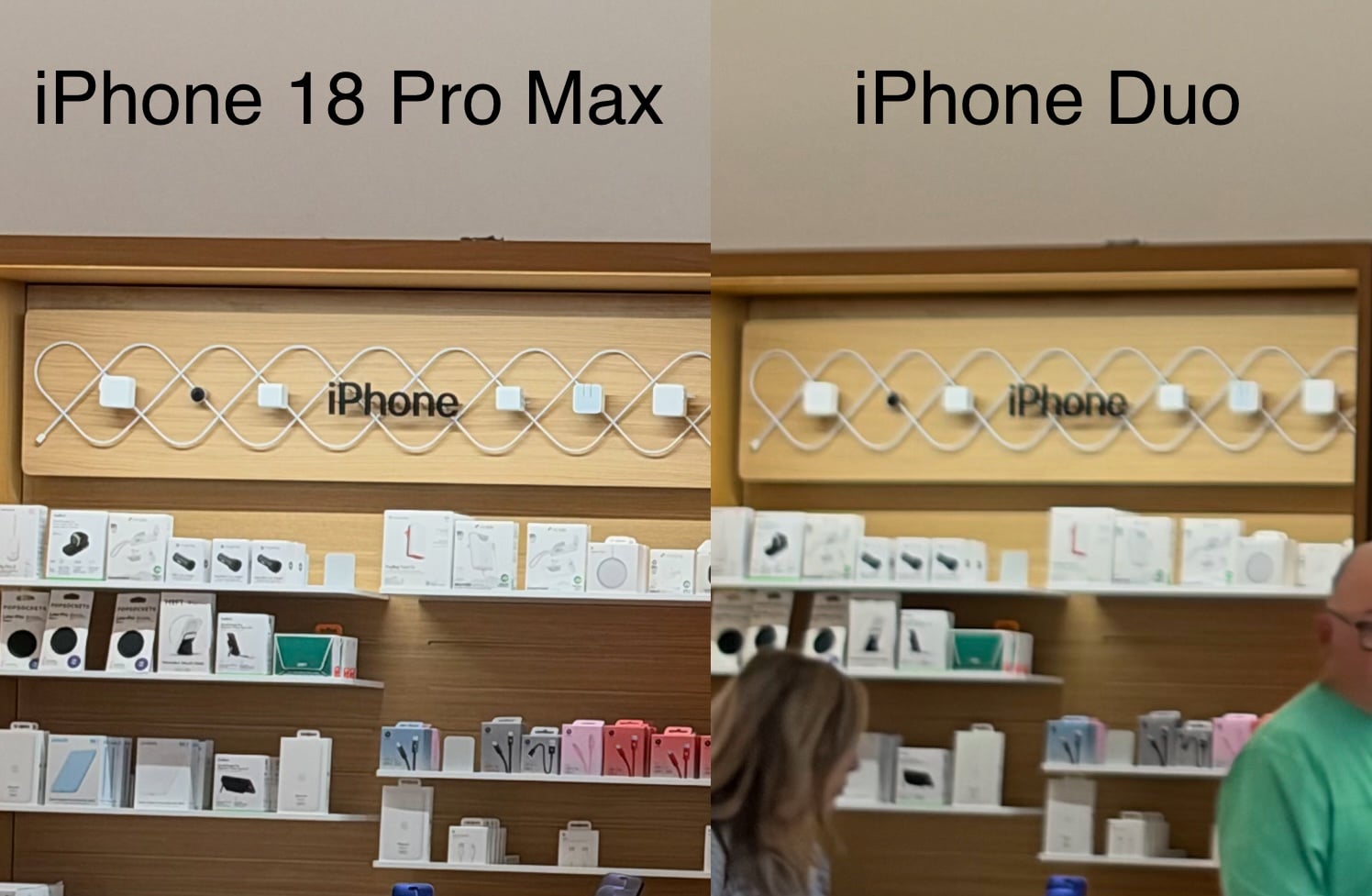
The omission of the telephoto lens is not the only camera difference between an iPhone Duo and an iPhone 18 Pro Max. The Main lens on the iPhone Duo is not as good as the Main lens Apple introduced with the iPhone 18 Pro Max. Of course, it lacks variable aperture. But even in bright light, you can still tell the Main lens isn’t as good. Here is a side-by-side view of cropped versions of two of the above images. I took both pictures standing in the same location. The picture taken with my iPhone 18 Pro Max has far more detail.
I know that I am spoiled by the iPhone 18 Pro’s cameras. If you are upgrading to an iPhone Duo from an iPhone that is a few years old, then the cameras on the iPhone Duo won’t seem like a step back. On the other hand, if using an iPhone’s camera is important to you, the iPhone Duo is a letdown.
The iPhone Duo is wonderfully large … sometimes
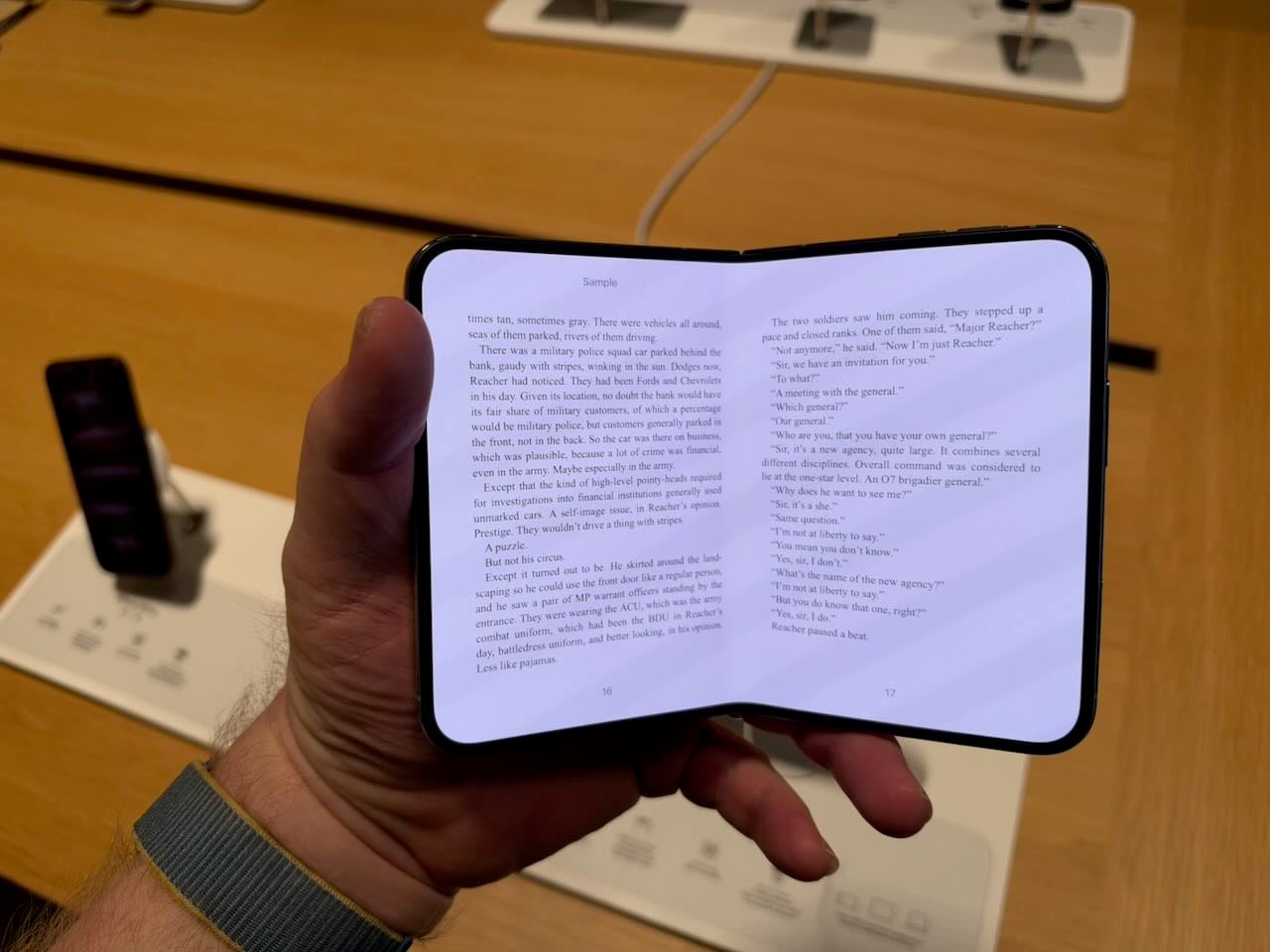
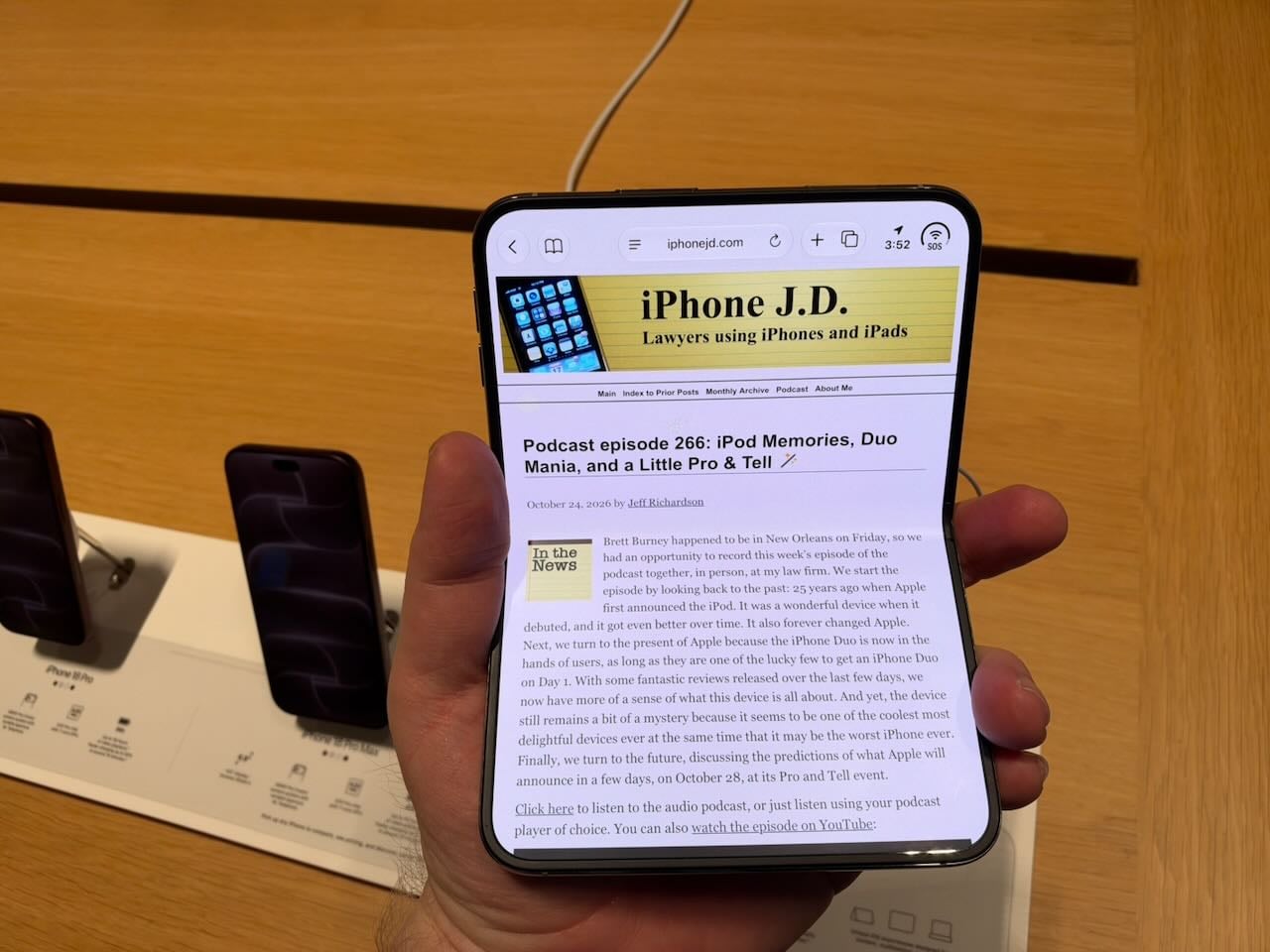
Of course, using the iPhone Duo with the screen closed is not the point. The device urges you to unfold it so that you can expand the screen. And when you do, you get a wonderful, wide, easy-to-hold screen.
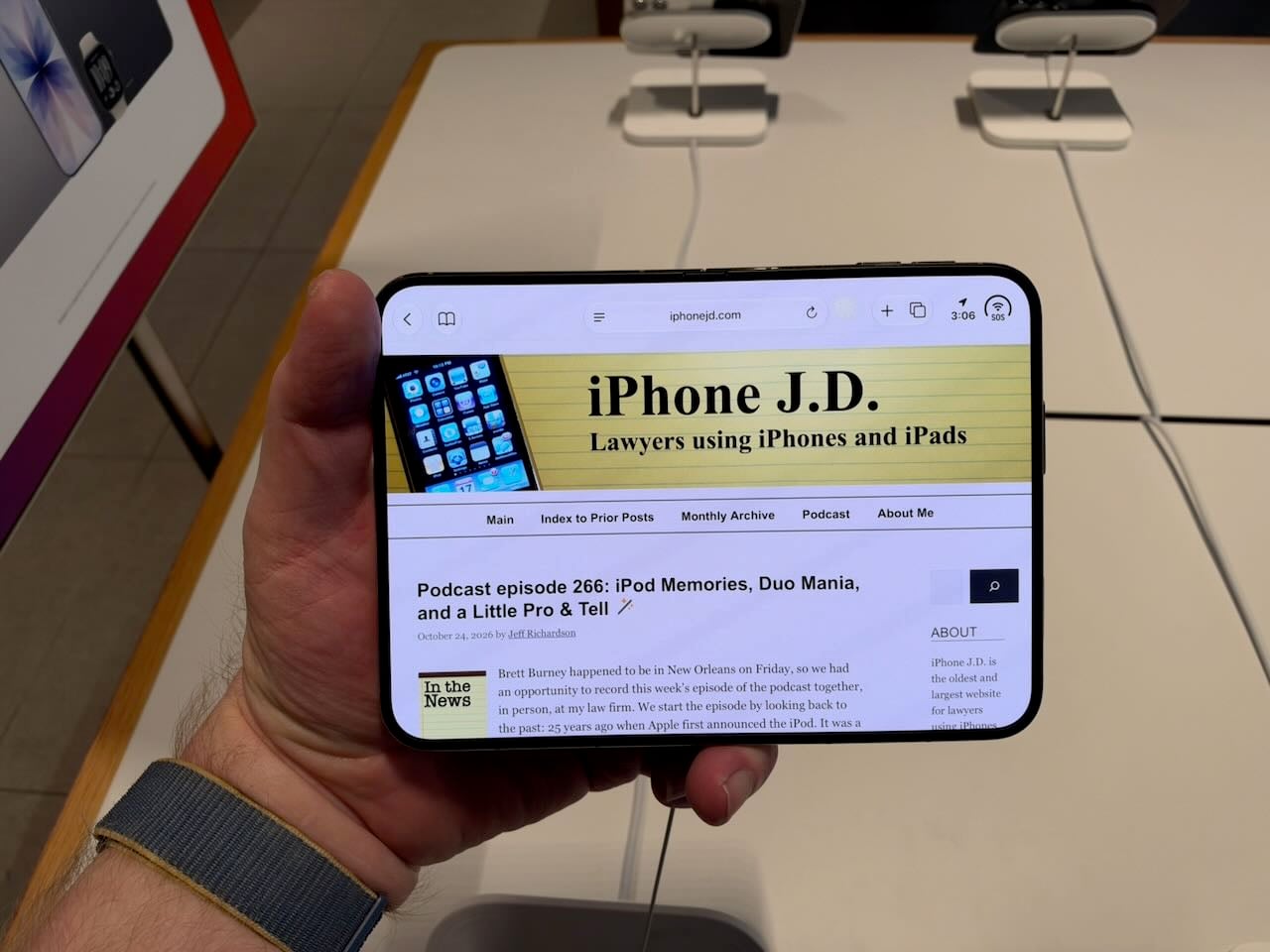
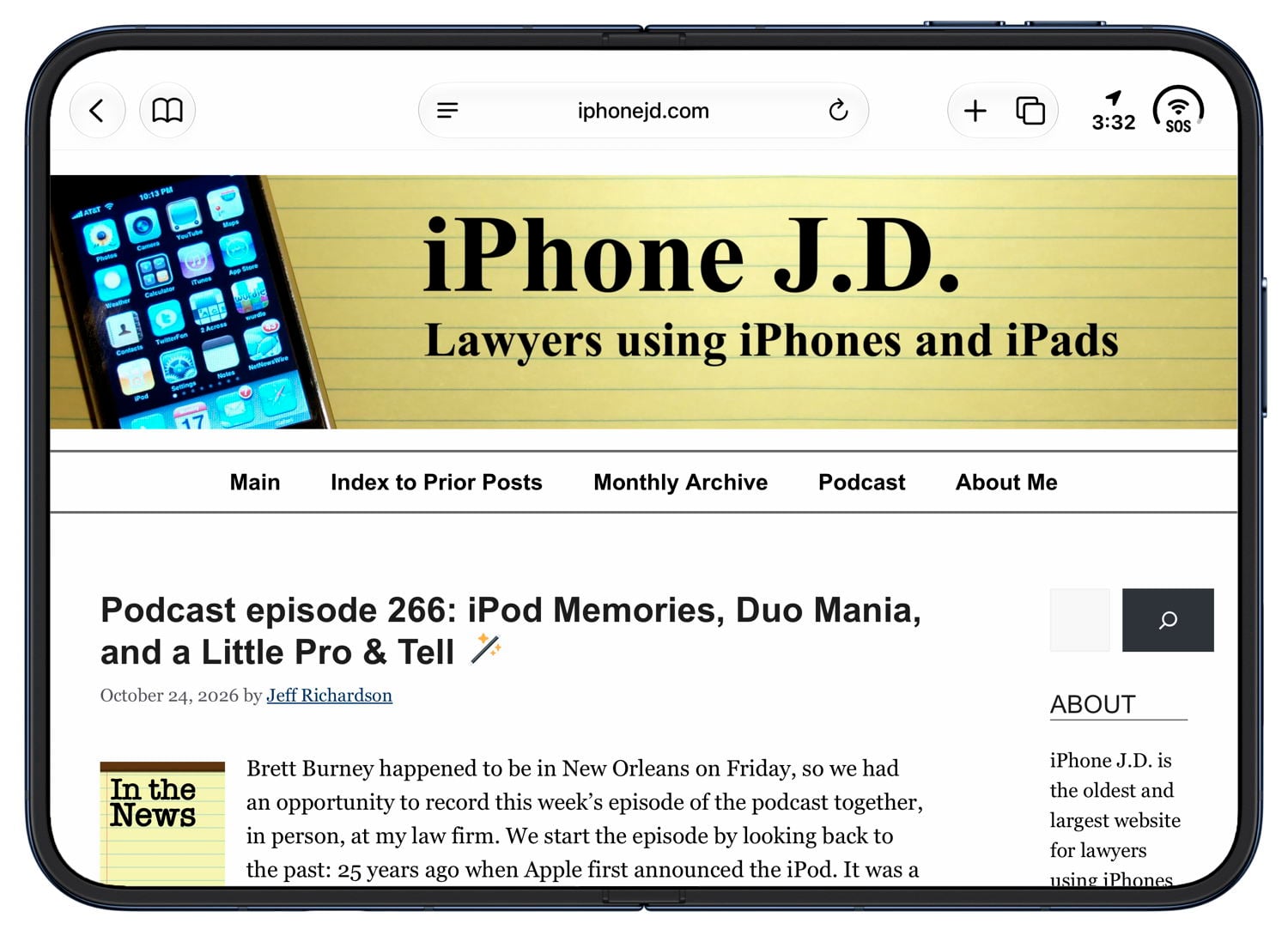
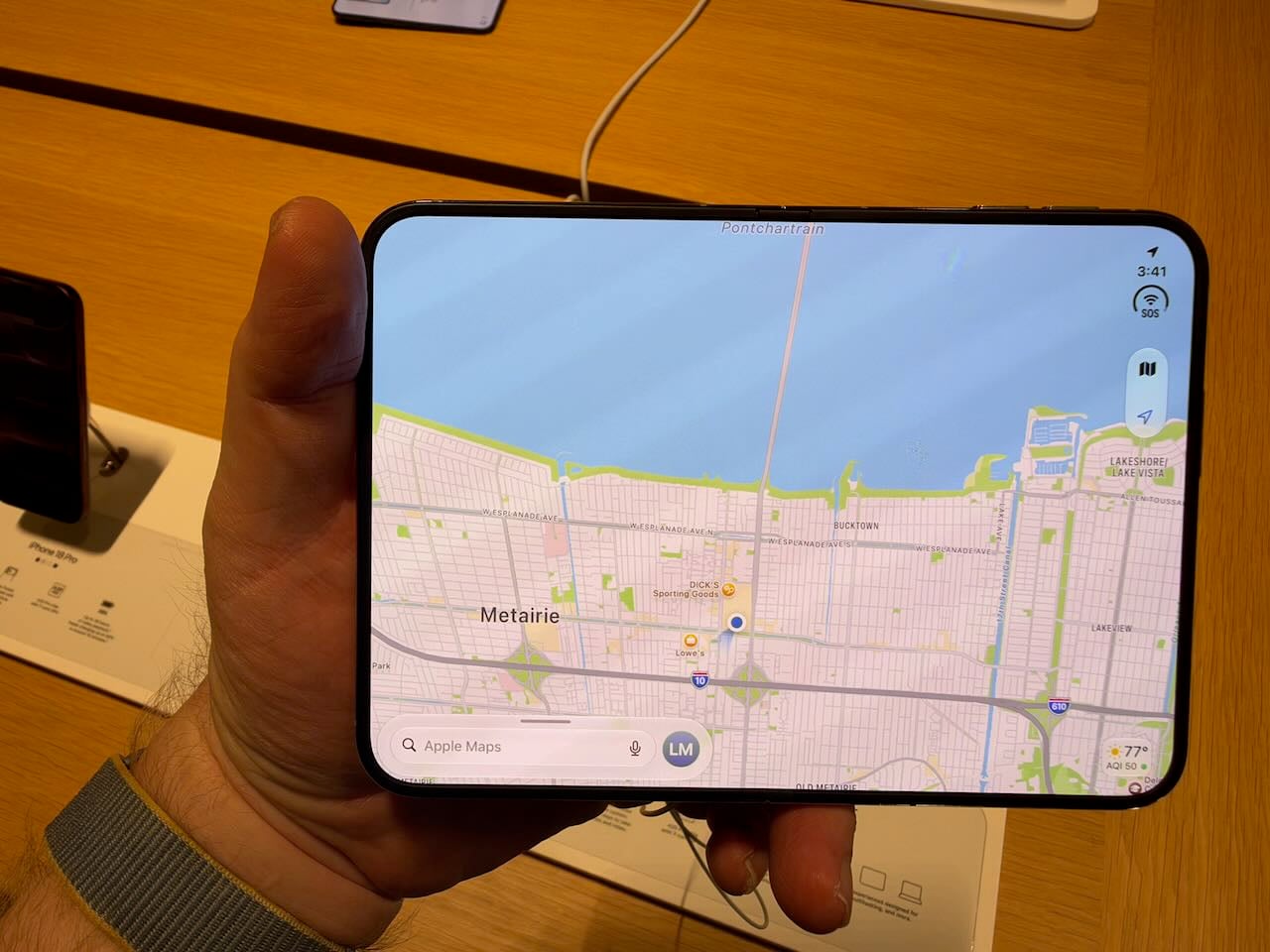
For some apps, like Safari, the wide screen is really nice and very useful. I often find myself using my iPhone and wishing—even with the larger screen of my iPhone 18 Pro Max—for more screen real estate. You get that with an unfolded iPhone Duo. The Maps app also looks great in this larger size.
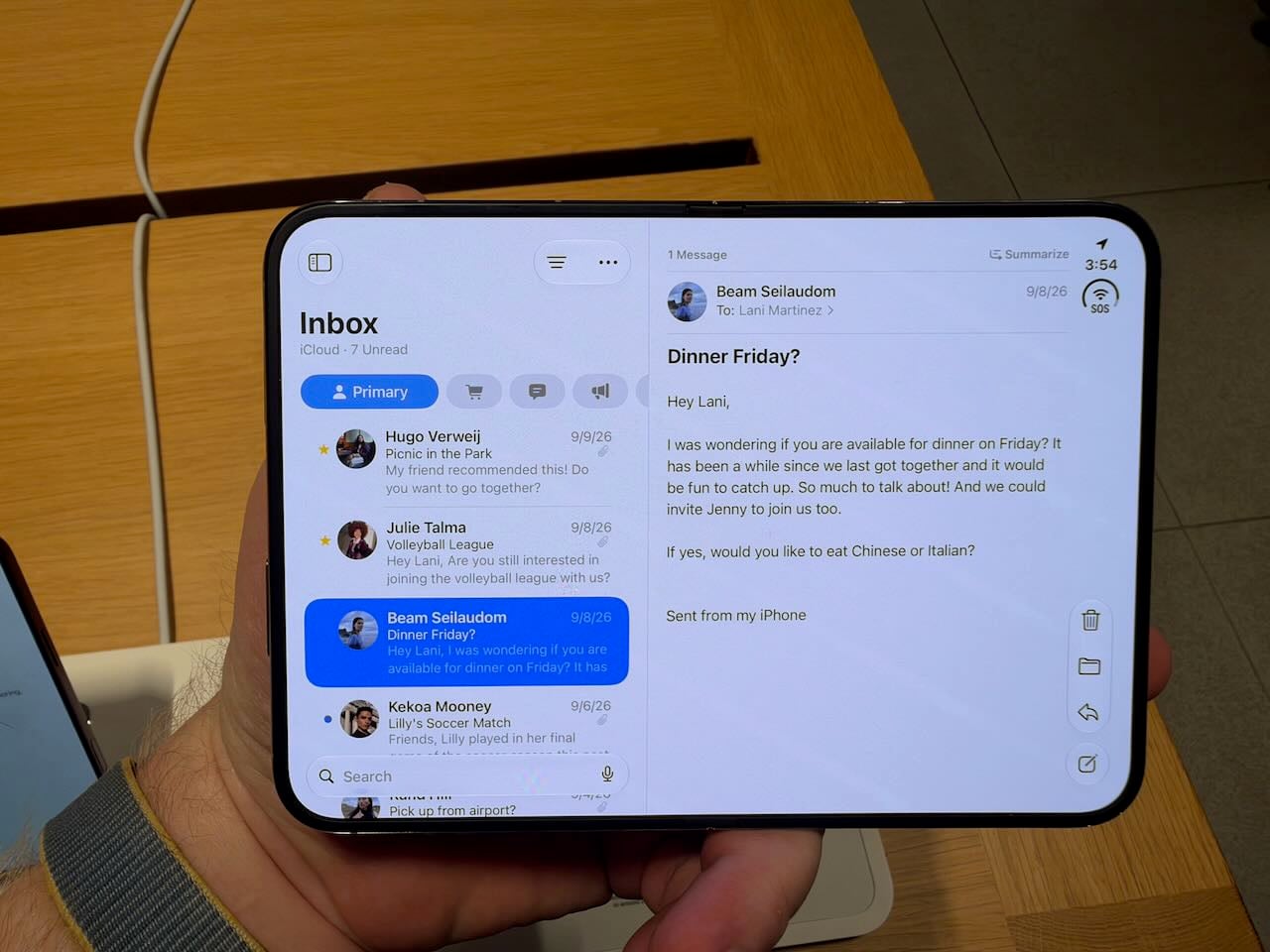
Having said that, for other apps, I found the larger screen to be less useful. In Mail, for example, you get an iPad-like experience with a list of emails on the left and one email on the right. However, in the list, you only see a few different emails. Given how frequently I scroll up and down to find a specific email, the shorter list would frustrate me. This layout works much better on the larger screen of an iPad, especially a 13" iPad.
When the iPhone Duo is turned into portrait position, I don’t see any advantage at all to the larger size in the Mail app. If anything, it feels awkward.
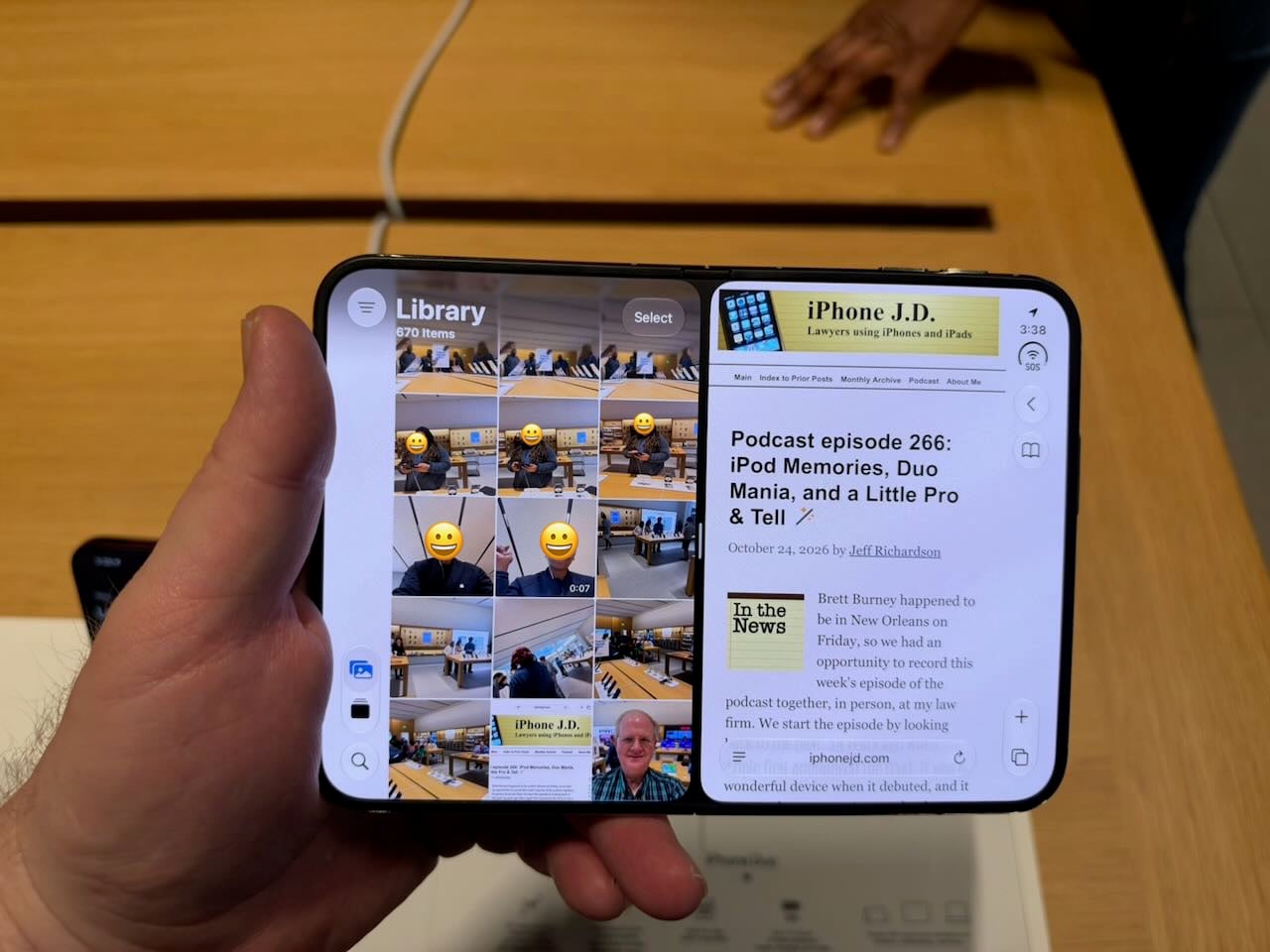
I do like how the iPhone Duo handles multitasking when the inner screen is in landscape orientation. You can place two apps side by side. Each app’s screen is too small, which is the same problem I have with all apps when the iPhone Duo is closed. But aside from that, it is easy to place one app on the left and one on the right so you can use two apps at once, and it is useful to have simultaneous access to two apps.
In this side-by-side mode, the default is a black bar between the two apps, so each app is independent. But if you press the small gray bar in the middle of the screen for a second or two, that black bar turns gray. At that point, the two apps are paired. You can switch to a different app or the Home screen, and when you return to one of those apps, the other is there as well. This system is very well implemented.
Note, however, that even though the larger screen of an unfolded iPhone Duo is often wonderful, you no longer feel like you are using an iPhone. You feel like you are using a small iPad. This is very different from the Max version of an iPhone, in which you get the iPhone experience with a larger screen. This is transforming an iPhone into an iPad, so you lose the iPhone experience.
The 1/2 home screen
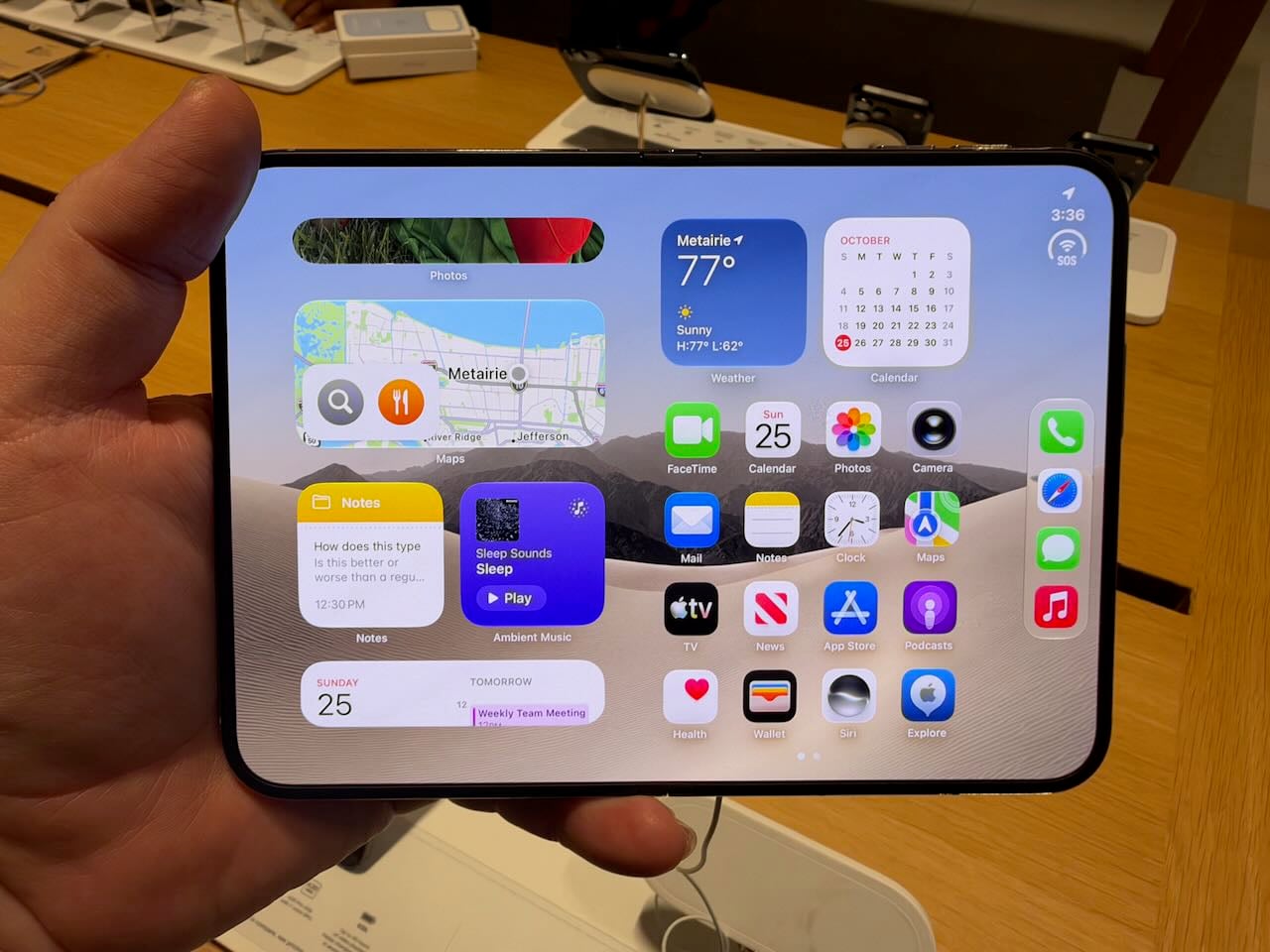
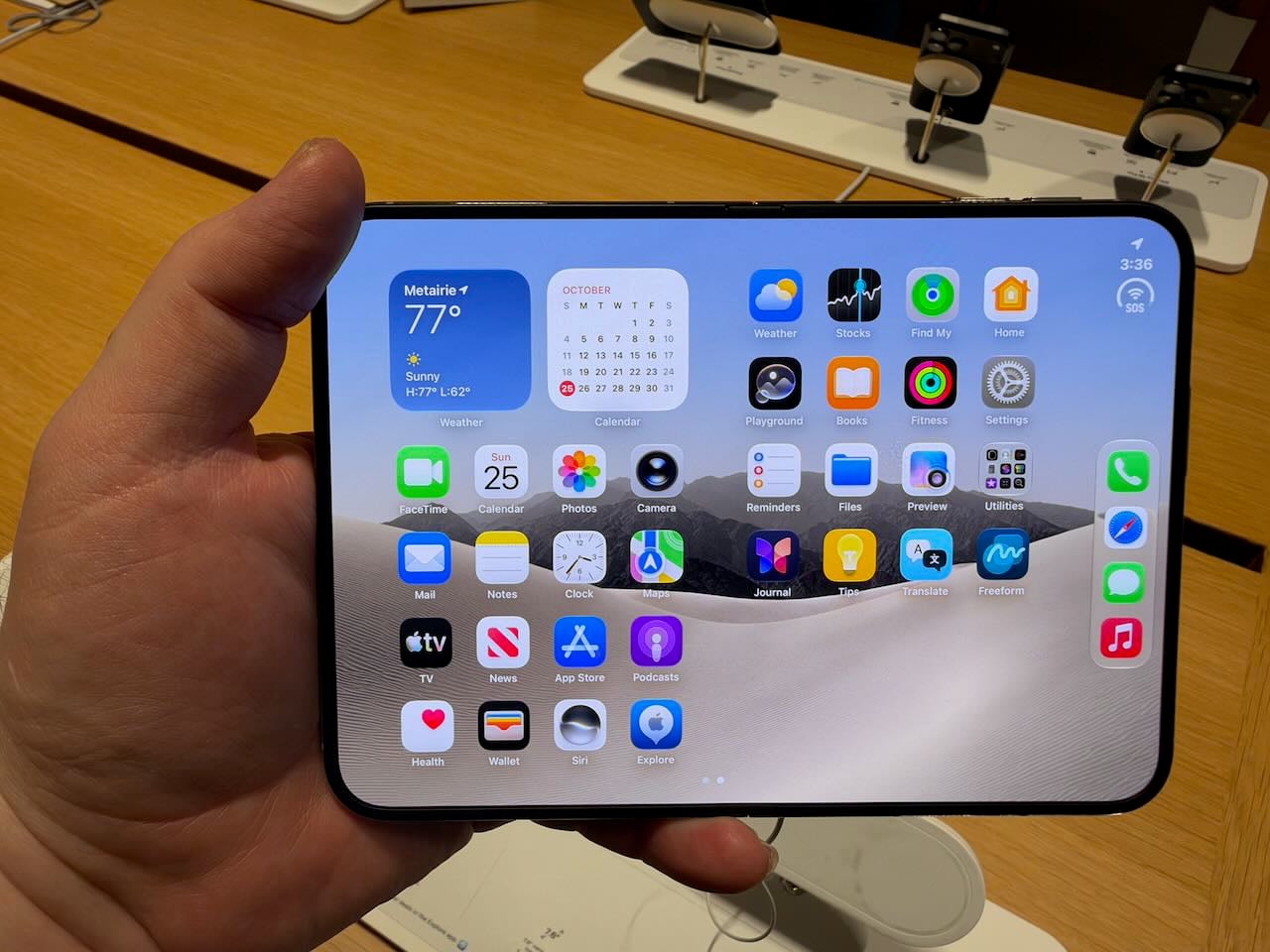
When the iPhone Duo is open and you look at the Home screen, it fills the screen. That is what you would expect. But if you swipe from right to left, the iPhone Duo doesn’t operate like an iPad. Instead of the entire screen moving left, the right half moves over to the left half. Thus, you need to swipe twice to completely replace what is on the screen. It felt wrong to me. And I don’t understand the point. If I swipe the home screen, I want to see more items. I don’t want to see just half of the new items. I understand the logic that Apple used to design it this way, and perhaps you get used to it over time. But I don’t like it.
When you turn the iPhone Duo to portrait mode, the Home screen becomes even more perplexing. Look at all of the wasted space on the sides. I guess Apple is trying to make the iPhone Duo in portrait mode look as close as possible to the single screen of the iPhone Duo when the device is closed, but I don’t think that is the right approach.
The iPhone Duo is delightful
If you enjoy technology gadgets, there is so much to love with the iPhone Duo. Opening and closing the device is a delight. I did it countless times, and it brought me joy every time. Apple’s hardware engineers figured out the best way to optimize the experience, and the software engineers created a beautiful effect that makes the outside screen, when the iPhone is closed, morph into the inside screen when the iPhone is opened. This effect appears in virtually every iPhone Duo video, so I suspect you have seen it by now. It is even better in person.
If you are the sort of person who appreciates something to play with in your hands, the iPhone Duo is the ultimate fidget spinner.
When the iPhone Duo is only partially closed, I cannot help but smile at seeing the information on the two screens. For example, the Books app feels like, well, a book. I’m not sure how practical this is, but it sure is fun.
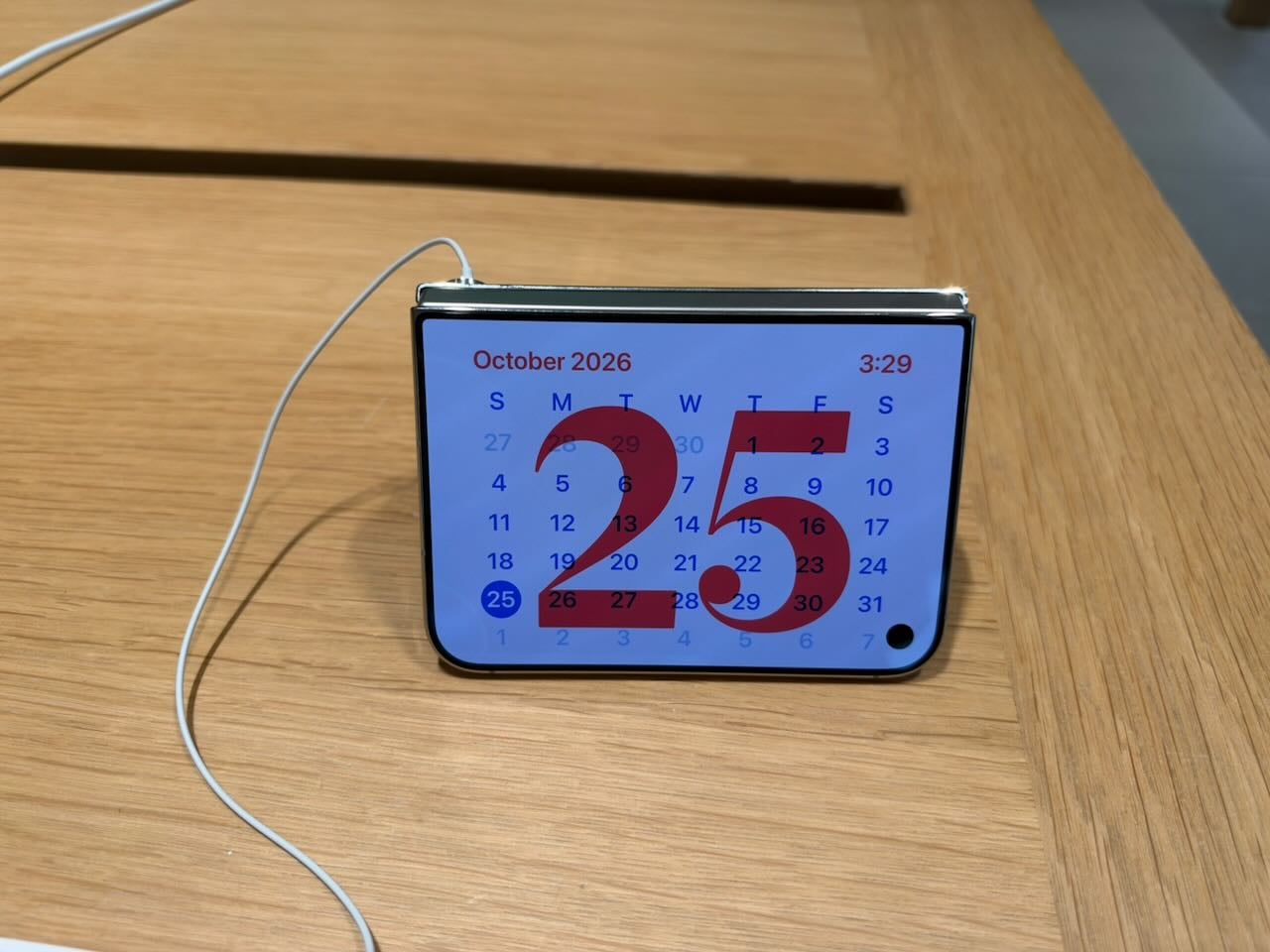
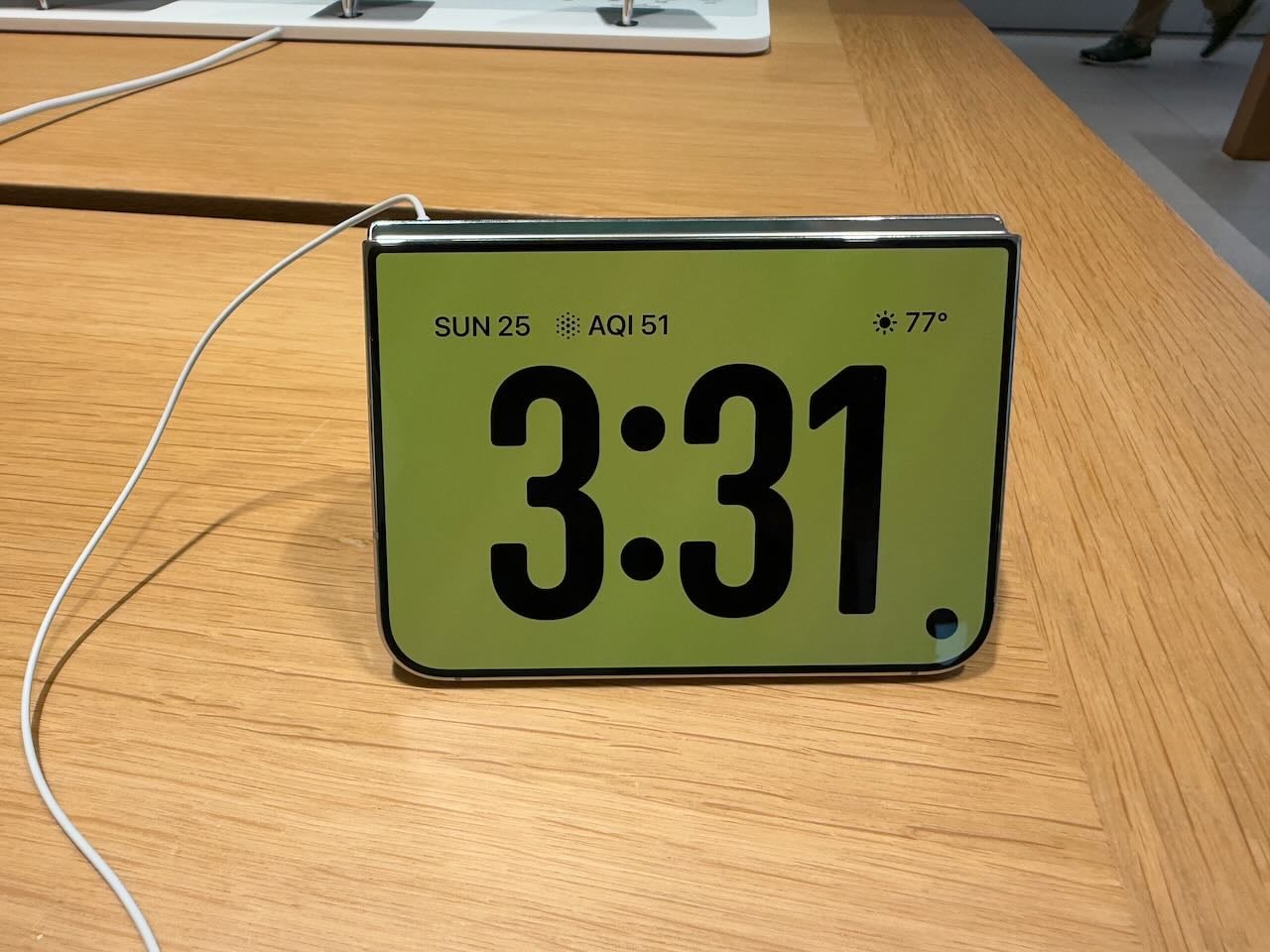
Speaking of partially closing the iPhone, placing it on a table in this position, like a tent, starts StandBy mode, where it can display useful information such as the time or a calendar. That way, even if you are not actively using your iPhone, it can show useful information at a glance. With my iPhone 18 Pro Max, I can only expeirence StandBy mode when I place my iPhone on a charger. Of course, placing it on a charger is useful because it recharges the iPhone, something missing in the iPhone Duo’s tent mode.
I also liked that you can use the Main camera on the iPhone Duo to take a selfie picture. Just face the camera lens towards you. On the outer screen next to the camera, there is an area you can swipe to activate that screen. That way, you use the Main camera to take your picture—which is much better than the selfie camera hidden under the screen—while still seeing yourself so you can frame your shot. Just remember that when it is time to take the picture, you should focus your gaze on the camera, not on the screen showing your face, to avoid taking a picture in which you are looking off to the side
Overcoming the limitations
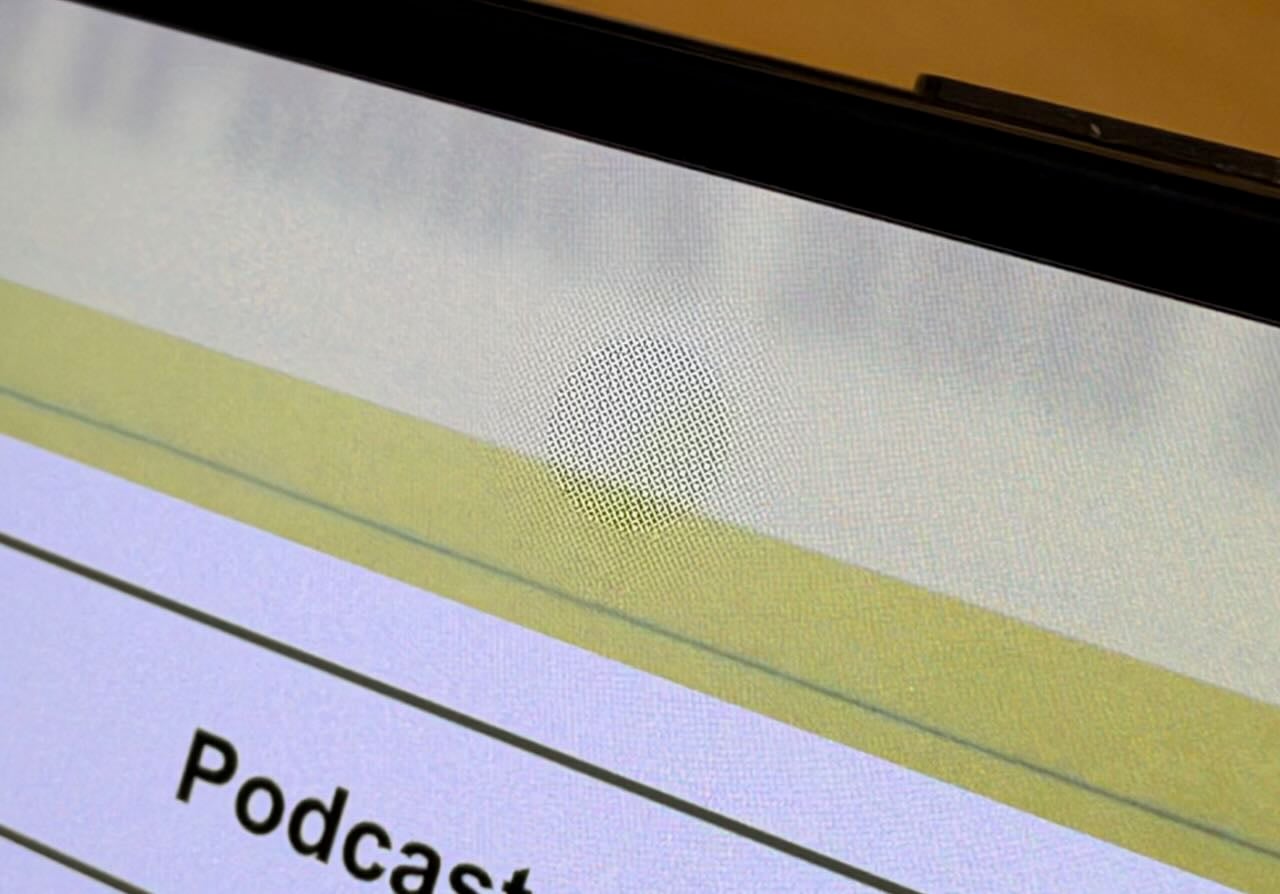
Becuase a hinge connects the two sides, the obvious question is whether using the iPhone Duo in its open mode is distracting because of the crease in the middle. Apple’s engineers solved this one. The nano‑texture finish does a fabulous job of hiding the crease. And of course, a nano‑texture finish has other advantages, such as reducing glare. However, it does come at a cost: for example, the color black is less black than it is on a glossy screen. (The front of the iPhone Duo has a glossy screen.)
When the iPhone Duo is opened, a self-facing camera is hidden beneath the screen. (Something similar is on my iPhone 18 Pro Max where the Face ID camera is hidden under the screen.) Again, Apple’s engineers did a great job with this one. You only rarely notice it, and I never found it distracting. I had to take quite a few pictures at different angles, and then crop the picture quite a bit, to end up with this picture where you can even notice it:
Note that the selfie camera quality is somewhat disappointing. If you want to take a picture of yourself, turn the iPhone Duo around and use the approach I described above. On the other hand, if you are just having a FaceTime conversation with a friend and camera quality isn’t a top priority, I suppose this selfie camera will be fine.
Conclusion
Many people will appreciate and love the iPhone Duo. If you want an iPad form factor that can easily fit in your pocket, the iPhone Duo is perfect. If you want an iPhone that is different and delightful, this is the one to get. If you want to make new friends, get the iPhone Duo: just like walking around with a cute puppy, I’m sure people will introduce themselves to you so they can check out this new device.
But if you want to use an iPhone as an iPhone, then I don’t think that the iPhone Duo is for you. The smaller screen is frequently frustrating. And opening up the iPhone Duo is not a fix because you are then getting something more like an iPad experience, not an iPhone experience. Moreover, because of the aspect ratio, it often feels like you are getting the worst of both worlds.
If I used an iPhone Duo as my iPhone, I would miss my iPhone 18 Pro Max every day. And using both devices simultaneously would be expensive and unnecessary because, most of the time, I’m in a place where my iPad Pro is within easy reach, and its much larger screen is far more useful than an open iPhone Duo. As a result, I just canceled my order for an iPhone Duo. I suppose that means someone in the world behind me in line will get their iPhone Duo a little earlier, and I’m happy to do my small part to make some iPhone Duo enthusiast even happier.
Don’t get me wrong: I’m amazed by this device. It is Apple at its finest. I spent most of my day on Saturday researching and writing an opposition brief using my Apple Vision Pro. I had a big virtual window with Westlaw open to my left; I had a big virtual window with Microsoft Word open in front of me; I had a big virtual window with PDF Expert to my right, showing me my opponent’s Memorandum to which I was responding; and I was able to work at my dining room table instead of upstairs in my study, so I was able to talk to my wife from time to time while I was working. I love my Apple Vision Pro and use it frequently, but I am keenly aware it is an expensive device that is only right for some people. The iPhone Duo is similar. For some people, it will be amazing. But the rest of us will want to stick with our more traditional iPhone designs.
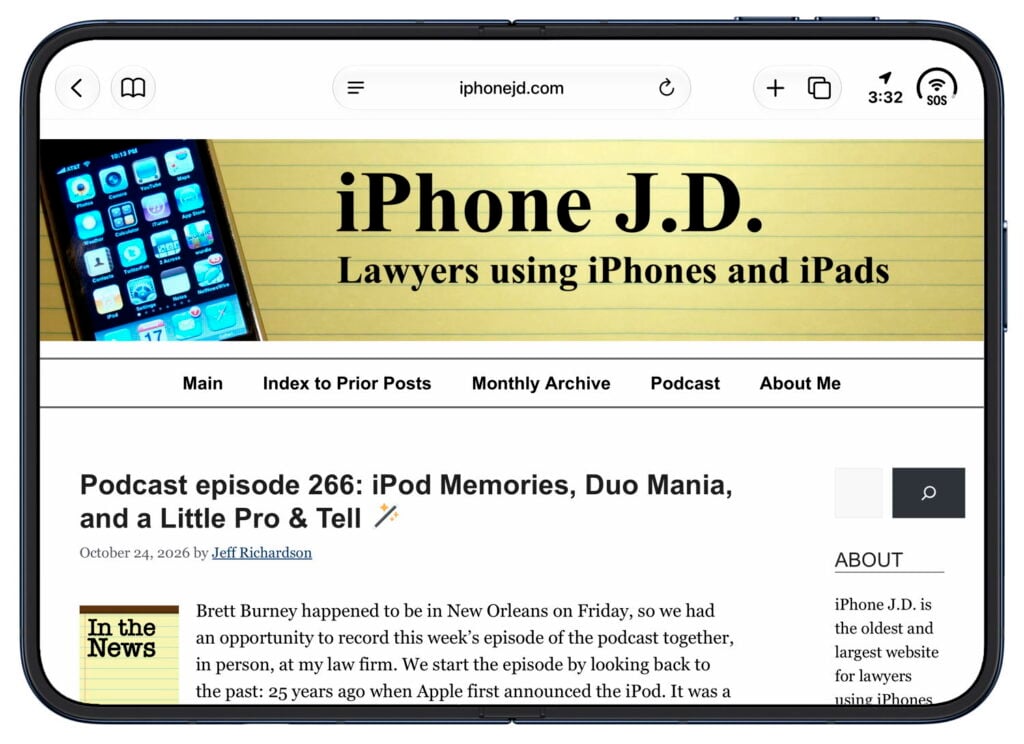
Brett Burney happened to be in New Orleans on Friday, so we had an opportunity to record this week’s episode of the podcast together, in person, at my law firm. We start the episode by looking back to the past: 25 years ago when Apple first announced the iPod. It was a wonderful device when it debuted, and it got even better over time. It also forever changed Apple. Next, we turn to the present of Apple because the iPhone Duo is now in the hands of users, as long as they are one of the lucky few to get an iPhone Duo on Day 1. With some fantastic reviews released over the last few days, we now have more of a sense of what this device is all about. And yet, the device still remains a bit of a mystery because it seems to be one of the coolest most delightful devices ever at the same time that it may be the worst iPhone ever. Finally, we turn to the future, discussing the predictions of what Apple will announce in a few days, on October 28, at its Pro and Tell event.
We are currently in the middle of one of the busiest Apple seasons that we have seen in a long time, with substantial new products and software. But before looking at the present and future, today is a good day to look back at the past. In this year, when Apple is 50 years old, it was 25 years ago today that Apple first announced the iPod—the product that changed Apple from a company making computers used by a small segment of the market into one of the most successful and influential companies of all time. The definitive book on the history of the iPhone is The Perfect Thing by Steven Levy, a fantastic read. But if you want to hear a fantastic story on how the iPod came to be, I cannot recommend more highly the Designed in California podcast by Jason Snell and Myke Hurley. They do a fantastic job recounting Apple history, with tons of amazing stories. Even as someone who has followed Apple for decades, many of the stories were new to me. This is actually the third chapter of that amazing podcast series: the prior two chapters looked at the origin of the Apple II computer and Apple’s Mac operating system crisis of the mid-1990s (which led to Steve Jobs returning to Apple). All three chapters are great.
Looking to the present and future, today is the day that the iPhone Duo officially goes on sale. Based on the initial reviews, which came out this week, I am fascinated by this device. On the one hand, it looks incredibly delightful to use. Unfolding a beautiful small device into something with a larger screen will be fantastic for many tasks. But on the other hand, when this device is closed, it seems to be the worst iPhone ever. As if that were not enough, we have new product announcements from Apple next week, the Apple HomeView arriving in homes soon after that, and much more.
During this incredibly busy time in the world of Apple, I also happen to be tied up with work commitments right now, so I won’t be able to post a lengthy In the News post today. But here are a few news items of note that you should check out:
The iPhone Duo review that I found most valuable this week was this review by John Gruber of Daring Fireball. He does a great job explaining why, when the Duo is closed, it is often not a good experience—a step down from other iPhones. But when the Duo is open, using the inner display, it can be something very special. Given these incredible advantages along with these distinct disadvantages, I am very curious to see how many people conclude that the Duo is right for them.
Lex Friedman of Lex on Tech did a nice job of providing a meta-analysis of many of the initial reviews of the iPhone Duo. If you don’t have time to read all of the other reviews, just read this article.
I enjoyed both the article and the video review of the iPhone Duo by Nilay Patel and Allison Johnson of The Verge.
If you want to get a new Apple product on the day that it first goes on sale, you typically have a choice of either placing a pre-order or showing up early to line up at an Apple Store. Hartley Charlton of MacRumors reports that Apple’s supply of iPhone Duo models is so limited right now that showing up early at a store today is unlikely to work for many people. When Apple released the iPhone 3G on July 11, 2008, I showed up very early to purchase my very first iPhone. I seem to recall that I was third or fourth in line. Unfortunately, my local AT&T store ran out of stock after just a few people entered the store before me. If you are unsuccessful in getting an iPhone Duo today even though you tried to get in line early—I’ve been there, done that.
On October 28, Apple is holding another product announcement event. Apple is calling this one Pro and Tell. As Chance Miller of 9to5Mac reports, many expect to see new MacBook Pro models with Apple’s first touchscreen display for a computer, a new iPad mini with an OLED screen, and new iMacs and entry-level MacBook Pro models.
I thought that Season 4 of Ted Lasso was great, so it seems like it should be a no-brainer that Apple would produce a fifth and sixth season. However, Ryan Christoffel of 9to5Mac reports that nothing is certain yet.
And finally, here is a video review of the iPhone Duo from Joanna Stern. And in typical Joanna Stern fashion, it is both very informative and incredibly entertaining:
We start today’s episode of the podcast by discussing pre-orders for the iPhone Duo. Either demand is high, supply is short, or both, because after just a few minutes, the delivery dates for orders slipped back quite a bit. After a few hours, the earliest ship dates were in late January—which is certainly awkward if you were buying one as a Christmas present. Next, we talk about the new Apple HomeView, which is a huge topic because there is so much new to discuss. We also talk about the new HomePod mini 2, the new Apple TV 4K, and the Apple Home Collection products being sold by third parties.
Fall 2026 will be remembered as a time with a lot of new stuff from Apple. Siri AI has completely changed Siri, and while this first version is far from perfect, I’m frequently amazed by how useful it is. As Andrew Chow of Time notes, Apple’s goal is to build a “modest but personalized and privacy-preserving form of AI that will actually help ordinary people as opposed to merely dazzling Silicon Valley’s ‘lunatic fringe,’ as Greg Joswiak, senior vice president of worldwide marketing, puts it.” Meanwhile, pre-orders for the iPhone Duo started earlier this morning. A few days ago, Apple announced the Apple HomeView, a new type of home device that will either be exactly what your home is missing or completely unnecessary because, as Stephen Hackett of 512 Pixels noted, some people will insist you can already do all of that on your iPhone. While I think that Siri AI is a win for Apple and its customers, the jury is still out on the iPhone Duo and the HomeView. Nevertheless, I have to give Apple credit for trying something new. And now, the news of note from the past week:
Andrew O’Hara of AppleInsider got a chance to try out the HomeView at Apple’s event in New York this week, and he is so impressed that he plans to buy three of them: one for his kitchen, one for his bedside, and one for his office.
Jennifer Pattison Tuohy of The Verge is impressed by the elegant simplicity of the HomeView. She also notes that because it can give you useful information without you needing to check an iPhone, it may help you avoid those situations when one parent checks an iPhone for something and then, the next thing you know, every kid sees that as permission to use their iPhone at the dinner table as well. Yes, I’ve been there.
Juli Clover of MacRumors notes some of the HomeView features that you might have missed, such as the adaptable interface that changes what is on the screen based on how close you are to it.
Julian Chokkattu of Wired calls the HomeView “a giant Apple Watch for the home.”
Wesley Hilliard of AppleInsider predicts that third parties will release HomeView accessories that will make the device portable: the same thing that we have seen with the HomePod mini.
Companies have been making small kitchen electronic devices for a long time. For example, as a Palm user over 20 years ago, I was intrigued by the short-lived 3Com Audrey in 2000. And of course, devices like the Amazon Echo have been around more recently. Kate Kozuch of Tom’s Guide notes two reasons that Apple’s HomeView may be the first device in this category to finally get it right. First, it works with the content that you already have instead of forcing you to find something within a device’s own ecosystem. Second, the HomeView doesn’t show promotional content, which many people hate about Amazon’s products.
Keeping a HomeView in a kitchen makes good sense to me, but I can also see how it might get some abuse in that room. William Gallagher of AppleInsider notes that without AppleCare, a repair costs $279—basically the cost of a new device. But with AppleCare, the repair charge is a flat rate of $39.
I liked the video Apple released to show how a HomeView can be used in a kitchen, but Allison Johnson of The Verge believes you have to be a parent to really appreciate the commercial. She may be right.
Charlton also compares the new HomePod mini 2 to the prior model, which was introduced six years ago. Charlton notes numerous technical improvements, but acknowledges that support for Siri AI is the most important change. I’m still waiting to learn how Siri AI works when you have a mix of old and new models in your home.
Apple used to use a Broadcom network chip to provide Wi-Fi and other networking features for the iPhone. In 2025, Apple instead started using a new chip it designed called the N1. It supports the latest standards for Wi-Fi, Bluetooth, and Thread. Because it uses Bluetooth 6, it supports Bluetooth channel sounding to find other devices that support the standard with precise tracking. (Before the N1, Apple used a separate UWB chip for that tracking.) One of Apple’s announcements this week was a new Apple TV remote that you can find using Find My. But instead of working with UWB for precision tracking, it only works with the N1. Stevie Bonifield of The Verge reports that this means you can use just about any iPhone to track this remote with hints like “far” or “near,” but if you want precision tracking—details like how many feet away the remote is—you’ll need to use an iPhone Duo, iPhone Air, or iPhone 17 or later (because those are the models that have an N1 chip).
I’m not a fan of horror movies, but I won’t be able to resist at least starting to watch a new immersive horror film in immersive video for the Apple Vision Pro called Remnants. I’m sure that horror is even scarier when it is that much more lifelike. Apple shared a video showing people screaming as they experienced the movie. (As a reminder, here is the list that I keep up to date of all of Apple’s immersive content.)
Glenn Fleishman of Six Colors explains how, in iOS 27, you can share your location with someone else for a custom period of time that you choose, up to 30 days.
I enjoyed the Apple TV show Maximum Pleasure Guaranteed, so I was pleased to see this report from Ryan Christoffel of 9to5Mac that Apple has renewed the show for a second season.
And finally, if you want to see an Apple promotional video for the HomeView that follows a more traditional style than the video I referenced above, then this video is for you:
Yesterday, Apple announced many new smart home products. One of them is a brand-new product, the HomeView. Apple also updated two of its current home products (Apple TV and the HomePod mini 2) and introduced the Home Collection: products made by other companies in collaboration with Apple. Considering that Apple also added a new “Home” tab to the top of its website, this looks like the start of a new area of Apple products for the home.
Apple HomeView
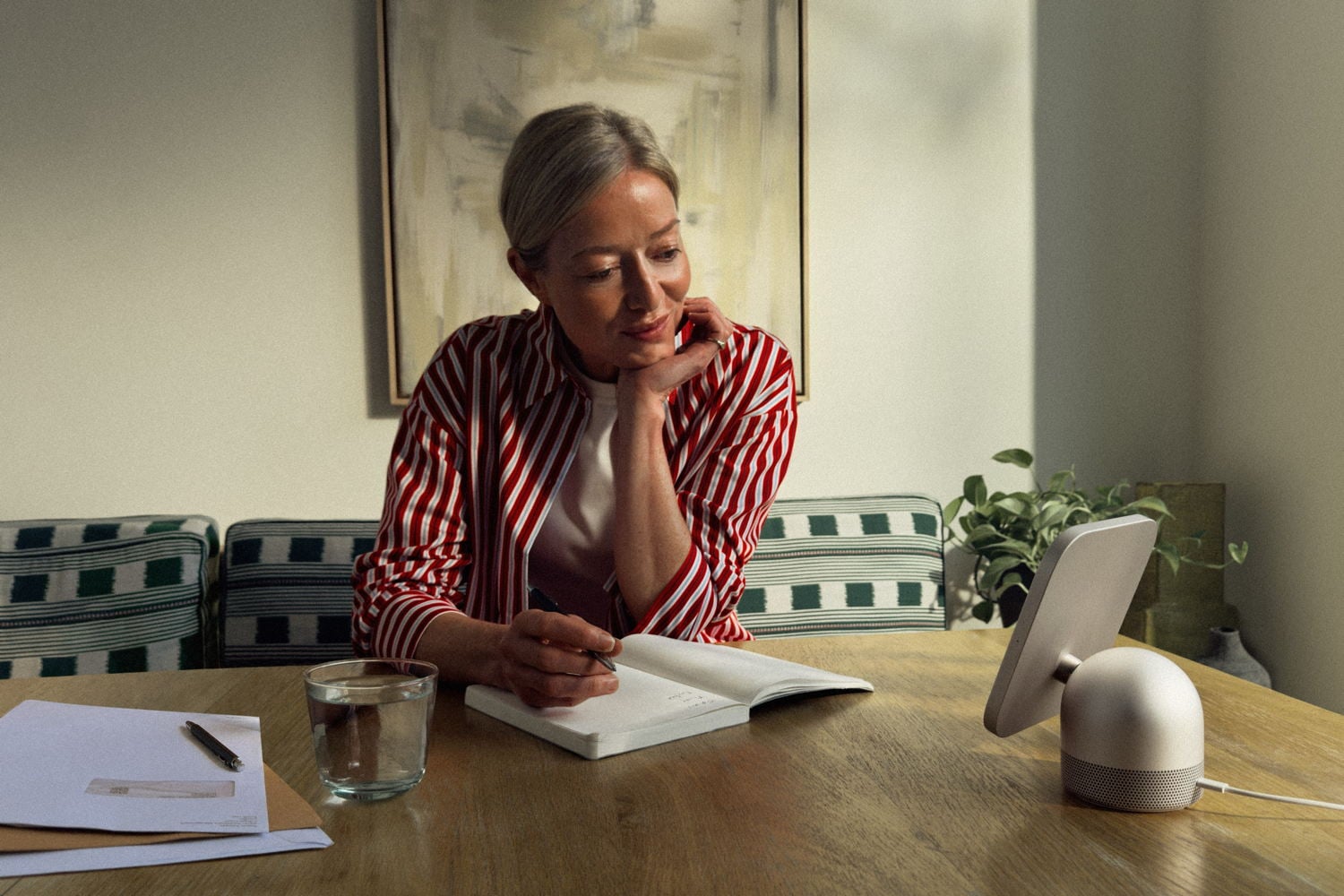
When I wear my Apple Vision Pro while sitting in my Living Room, I see a clock and other items on my wall that are not there in real life. You can see an example of what I mean in this part of Episode 202 of the In the News podcast. Having a beautifully designed Apple widget on my wall is very useful, and I am so used to glancing at that clock while I am watching a movie or TV show in the Vision Pro that I often find myself looking over there to check the time, even when I am not wearing it. With the introduction of the new Apple HomeView, I can now have a physical object in my home that is similar to the virtual one I only see while wearing my Vision Pro.
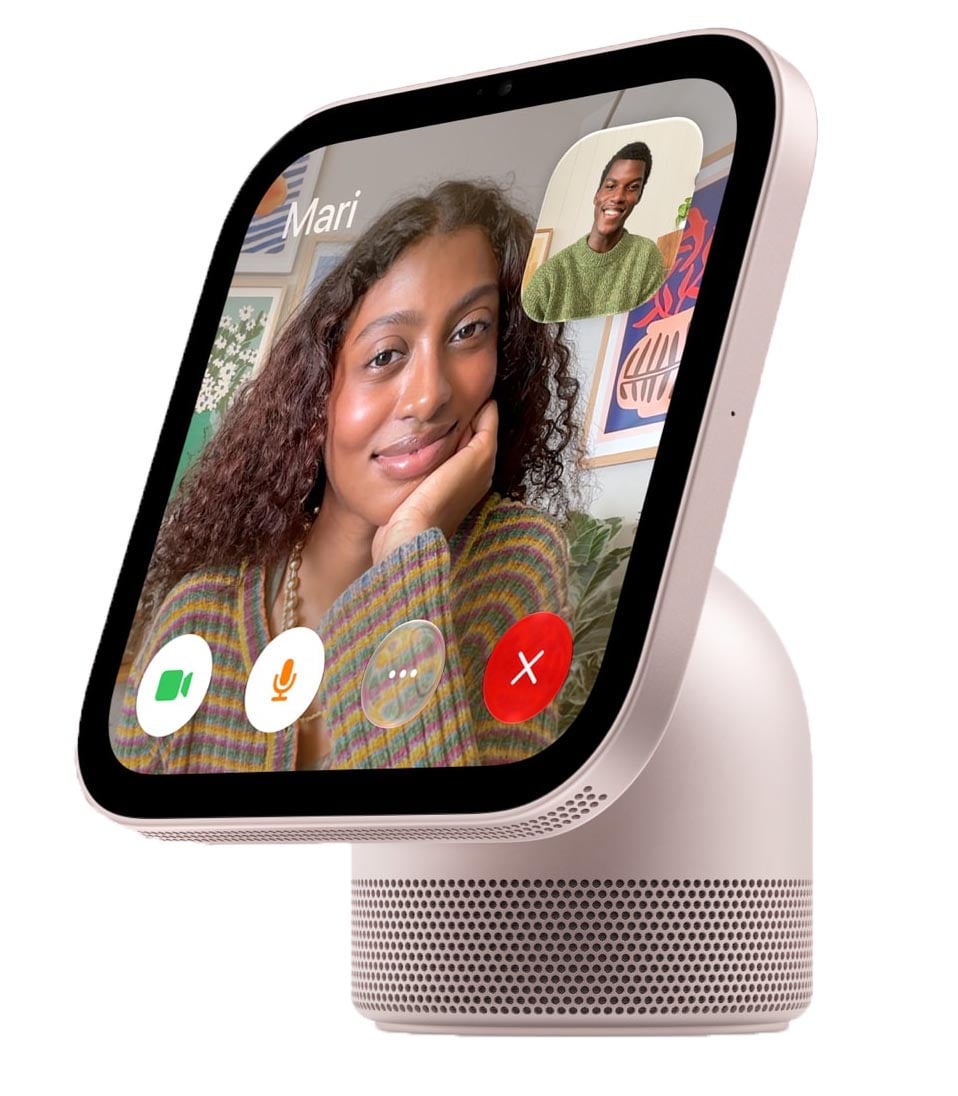
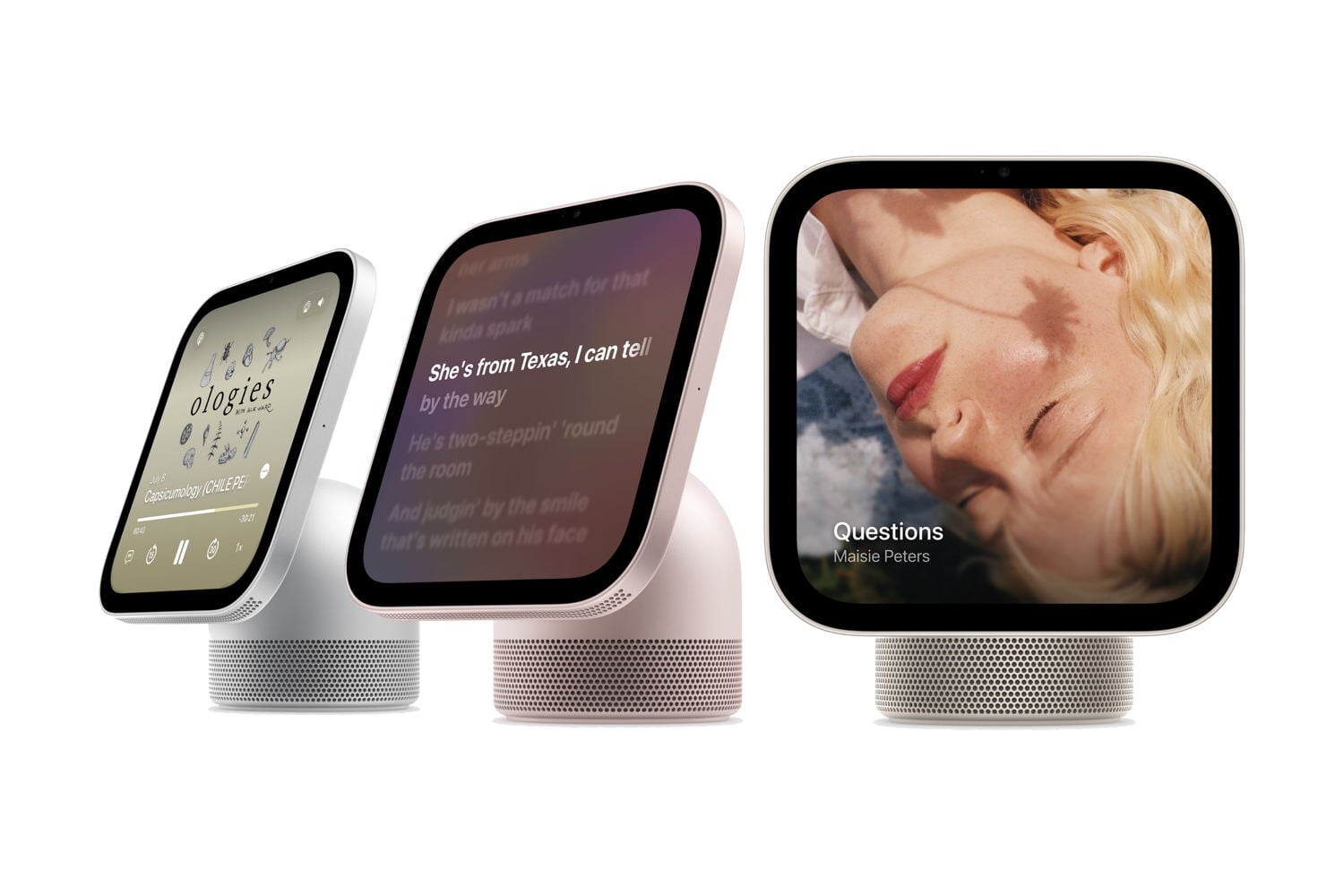
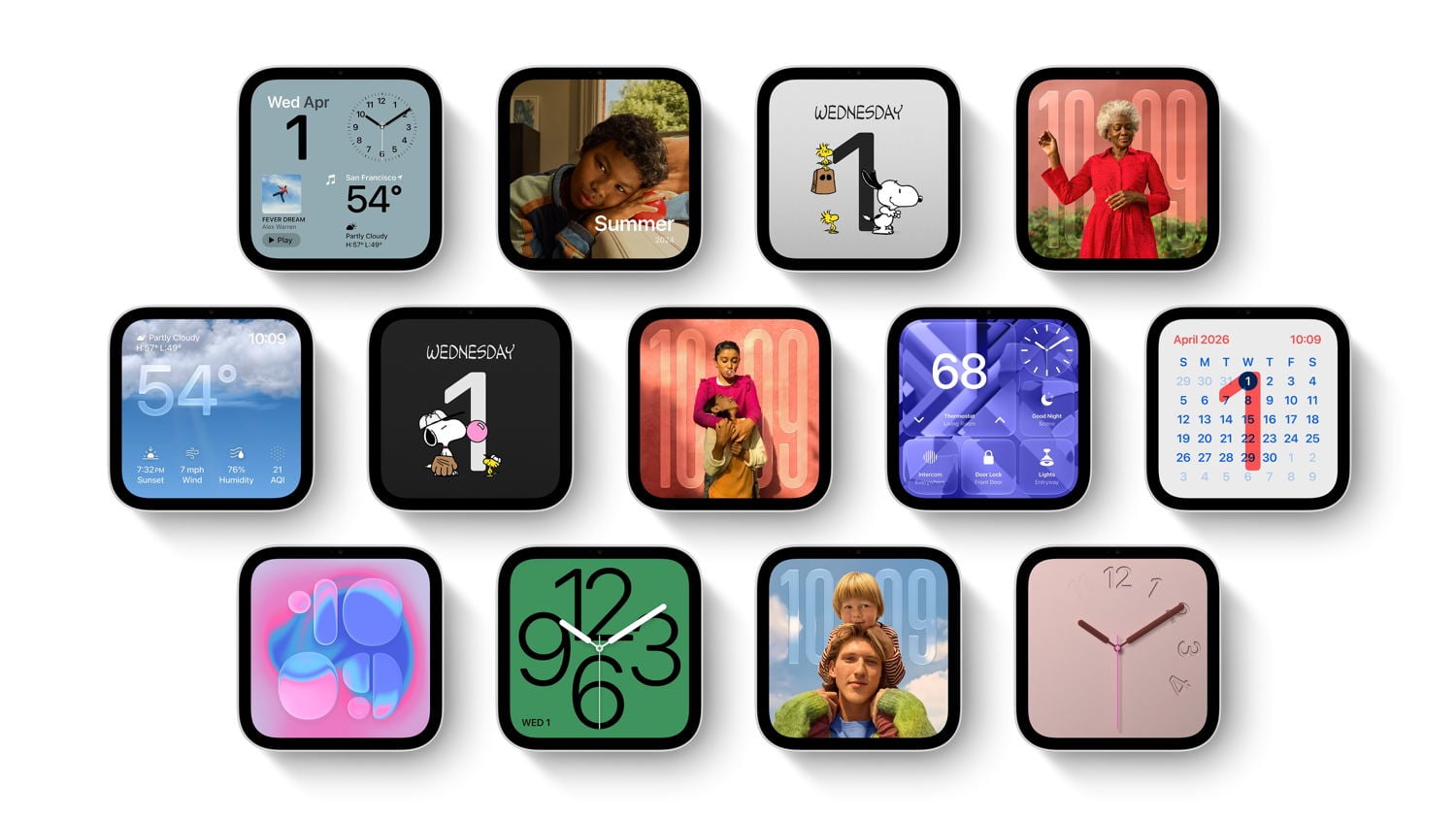
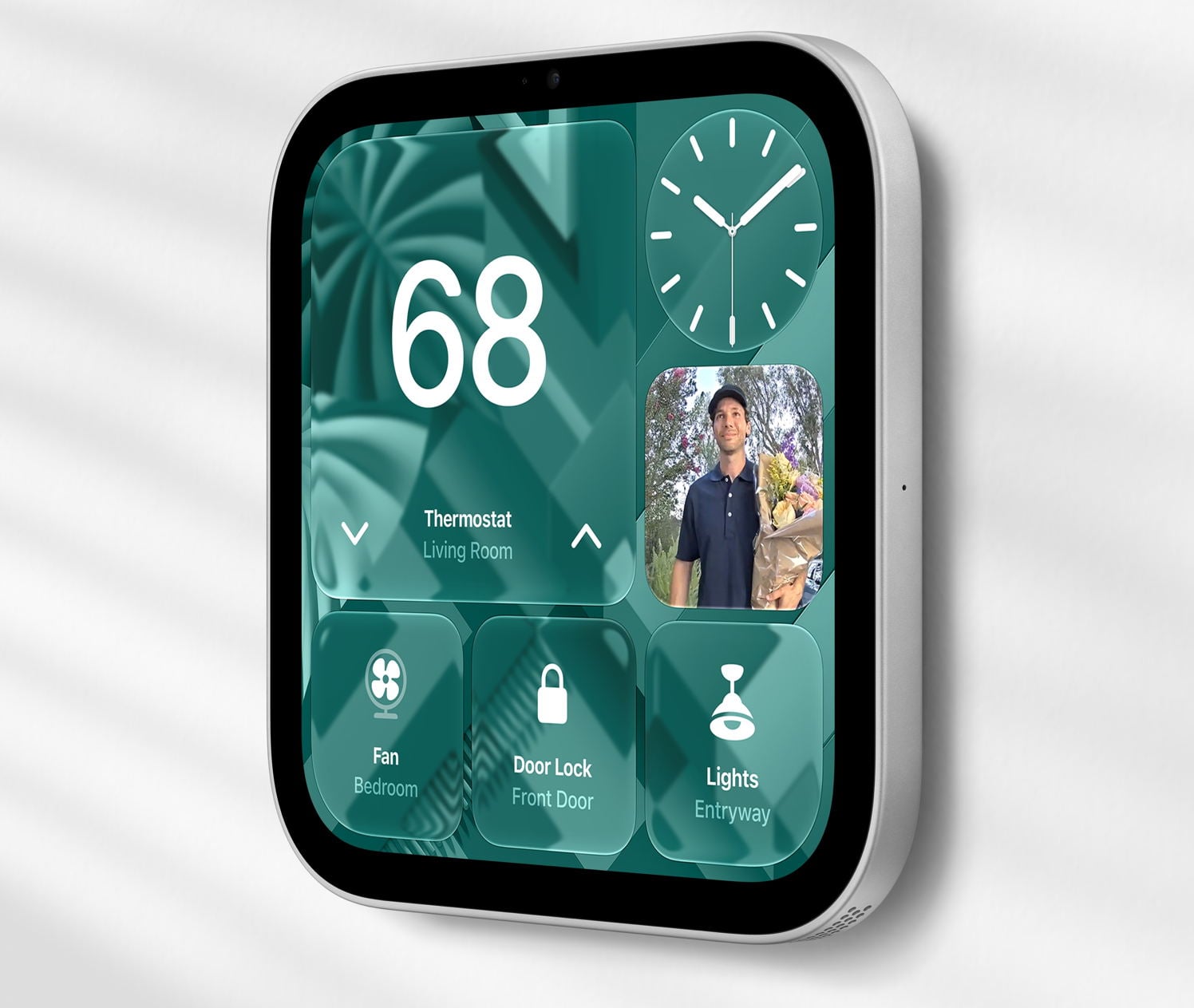
The Apple HomeView has a square display that is 7" diagonal (5.73" on each side). The screen has rounded corners—just like a widget on an iPhone, iPad, or Vision Pro—that can display all sorts of useful information. It can show many different clock styles. It can show pictures, like a digital picture frame. It can show your personal content, such as your calendar. What it displays can change based on how close or far you are from the HomeView, with smaller text and items only being displayed when you are close enough to be able to see them.
It can show a timer. The touchscreen is fully interactive, and you can also use it to play music (with lyrics, if you want), a podcast, a video, an audiobook, and more.
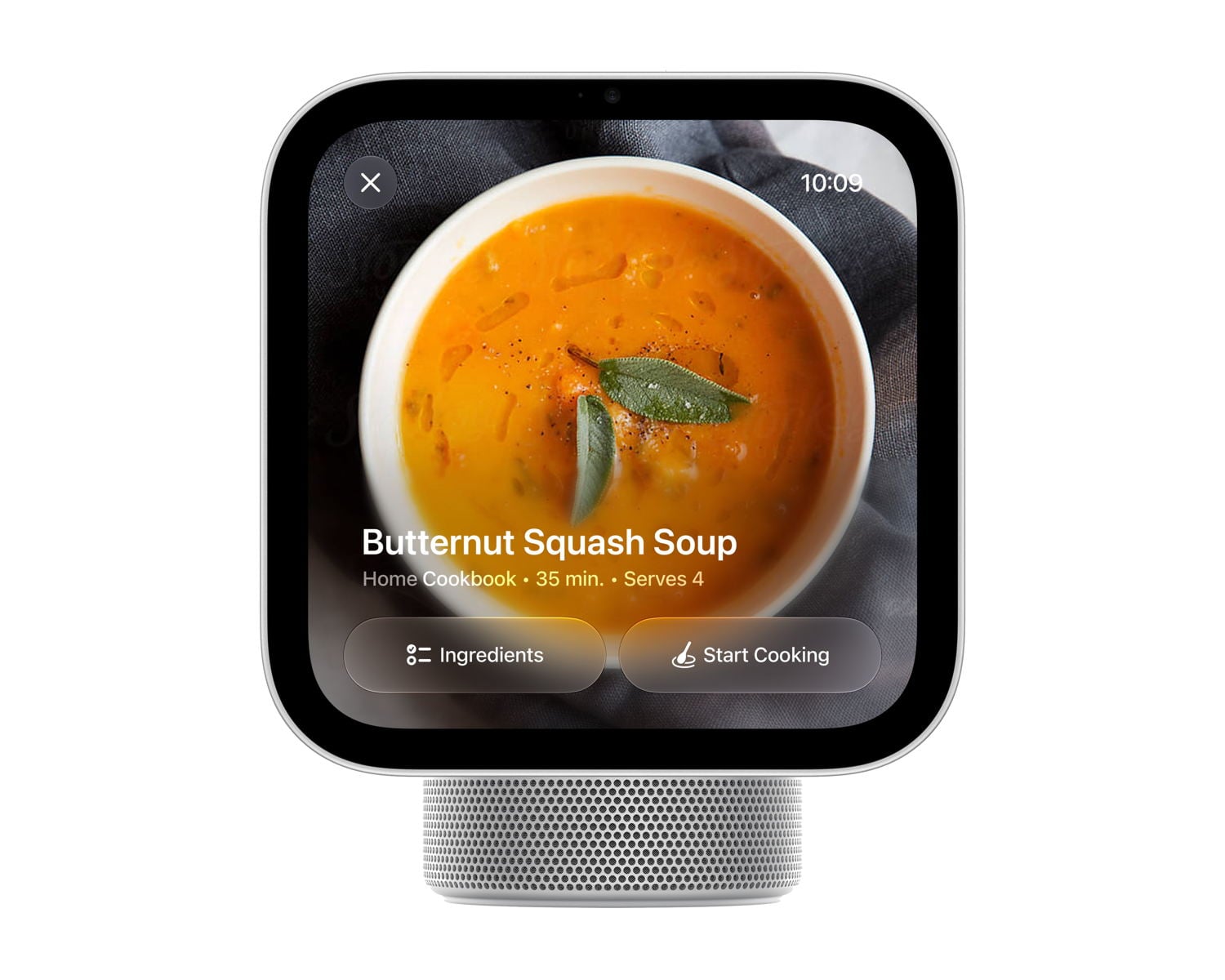
It can also display a recipe. When you open a recipe from a website in Safari, HomeView can convert it into a format that works best on its screen, with step-by-step instructions and timers for specific steps.
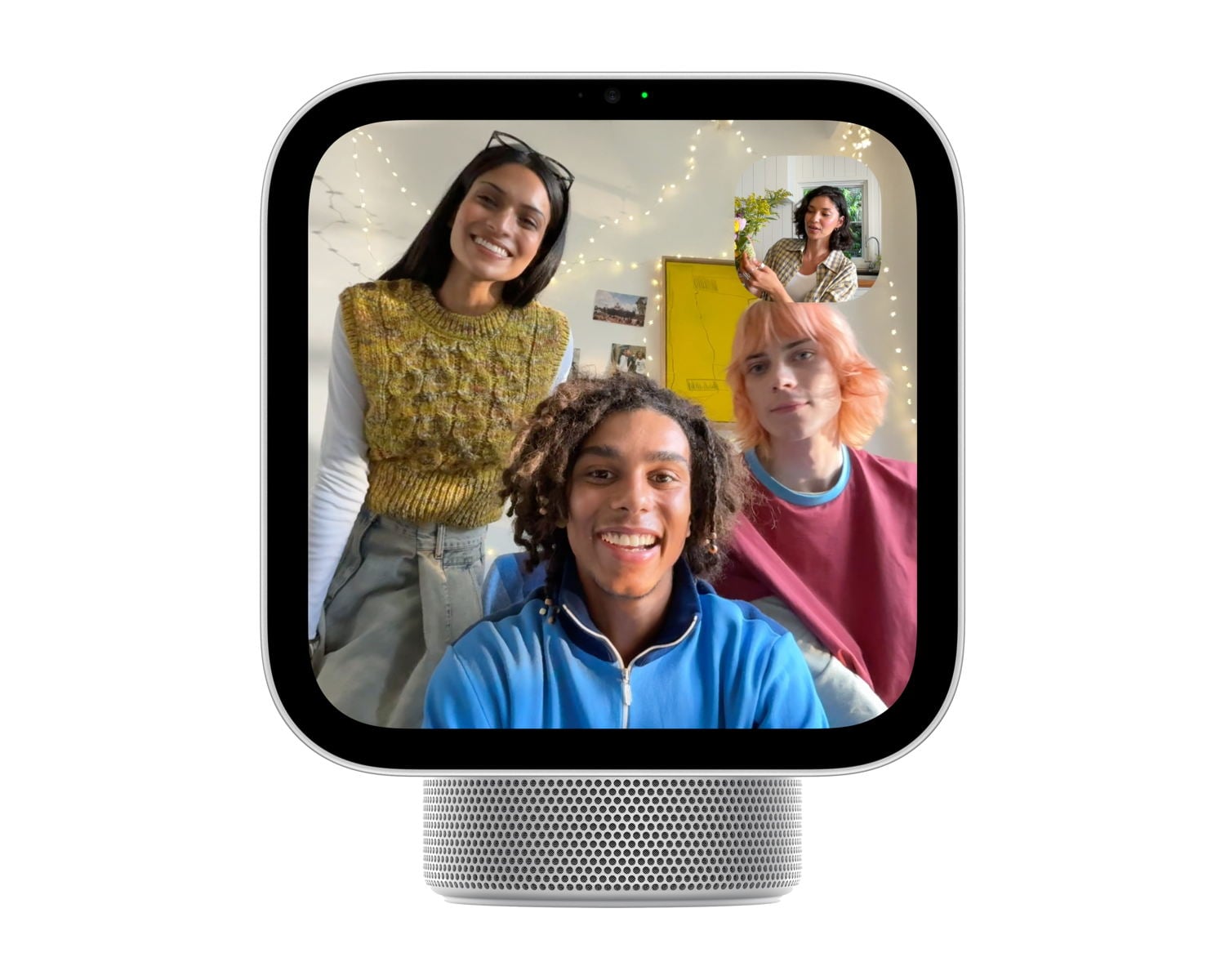
It has a built-in camera, so you can also use it for FaceTime calls. Like many modern Apple devices, FaceTime uses Center Stage to keep multiple people in the frame, even when they move around the room.
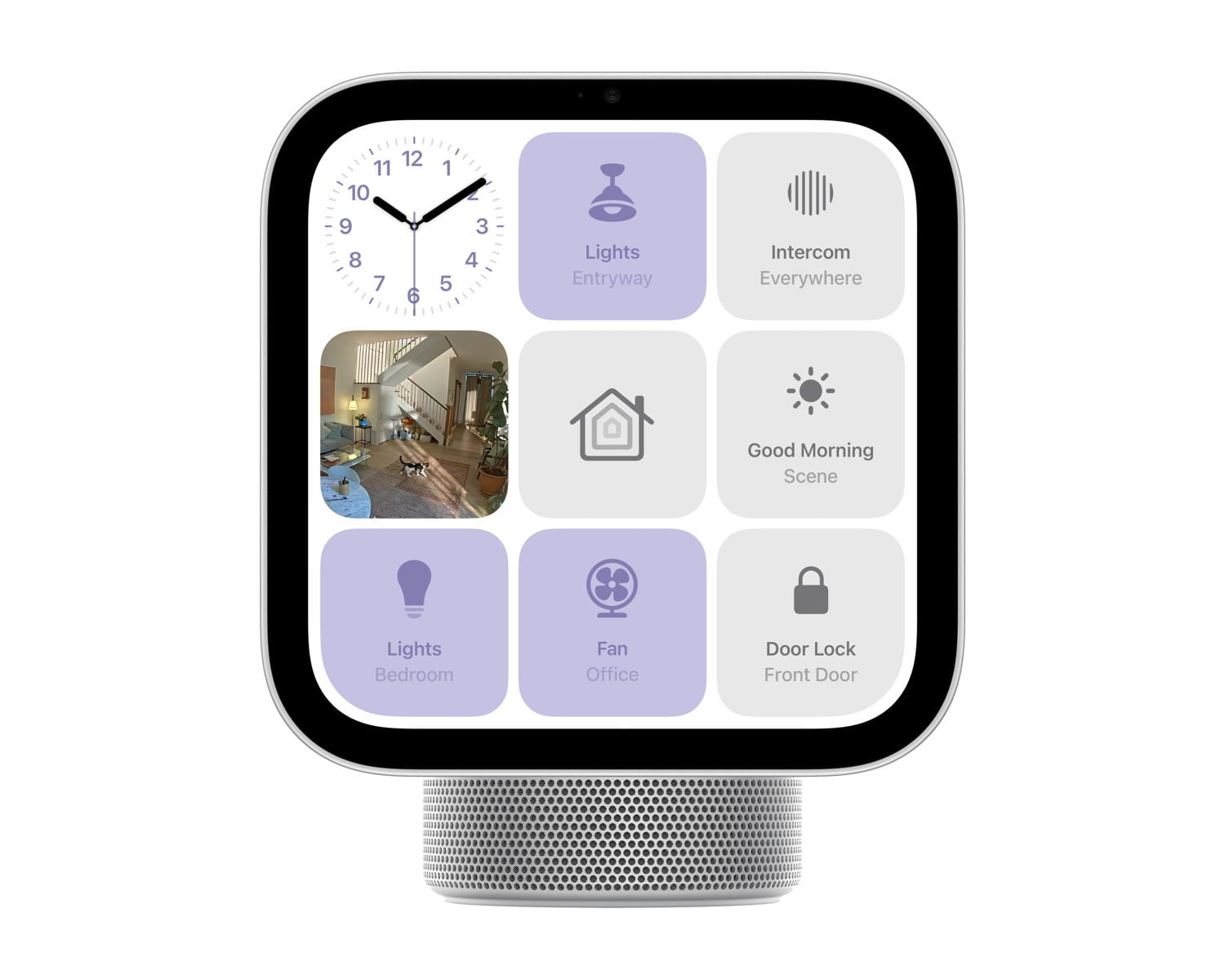
It can act as a central hub for your smart home devices, letting you adjust the thermostat, watch security cameras, control devices like lights and fans, and more.
It also supports the new Apple Intelligence. Just like an iPhone running iOS 27, you can ask it questions about your personal life, although you need to be using an iPhone 15 Pro or newer for this to work. Or, you can ask the HomeView questions about world knowledge, so it acts like a friendly know-it-all in your home. You can even go back and forth between talking to Siri on your iPhone and talking to Siri on the HomeView.
Much like an Apple Watch, you can swipe left-to-right or right-to-left to change the face. If you swipe down from the top, Siri is triggered so you can ask a question. If you swipe up from the bottom, you see a mix of app icons and widgets, similar to an iPhone screen, and you can select a specific app. In the Home app, you can swipe right to left to view a live stream of up to nine home security cameras at once.
I feel comfortable with my iPhone knowing all my personal details (emails, messages, calendar, notes, etc.) because my iPhone is locked and only I can use it. Even though the HomeView is a device in your home that anyone can access, privacy is baked in. HomeView recognizes you (and up to five other people) and syncs with your iPhone, so it uses your personal information only when it sees you using the device and when your iPhone is in your house and has been unlocked recently. If you step away, your personal information on the screen—such as your calendar or messages—disappears.
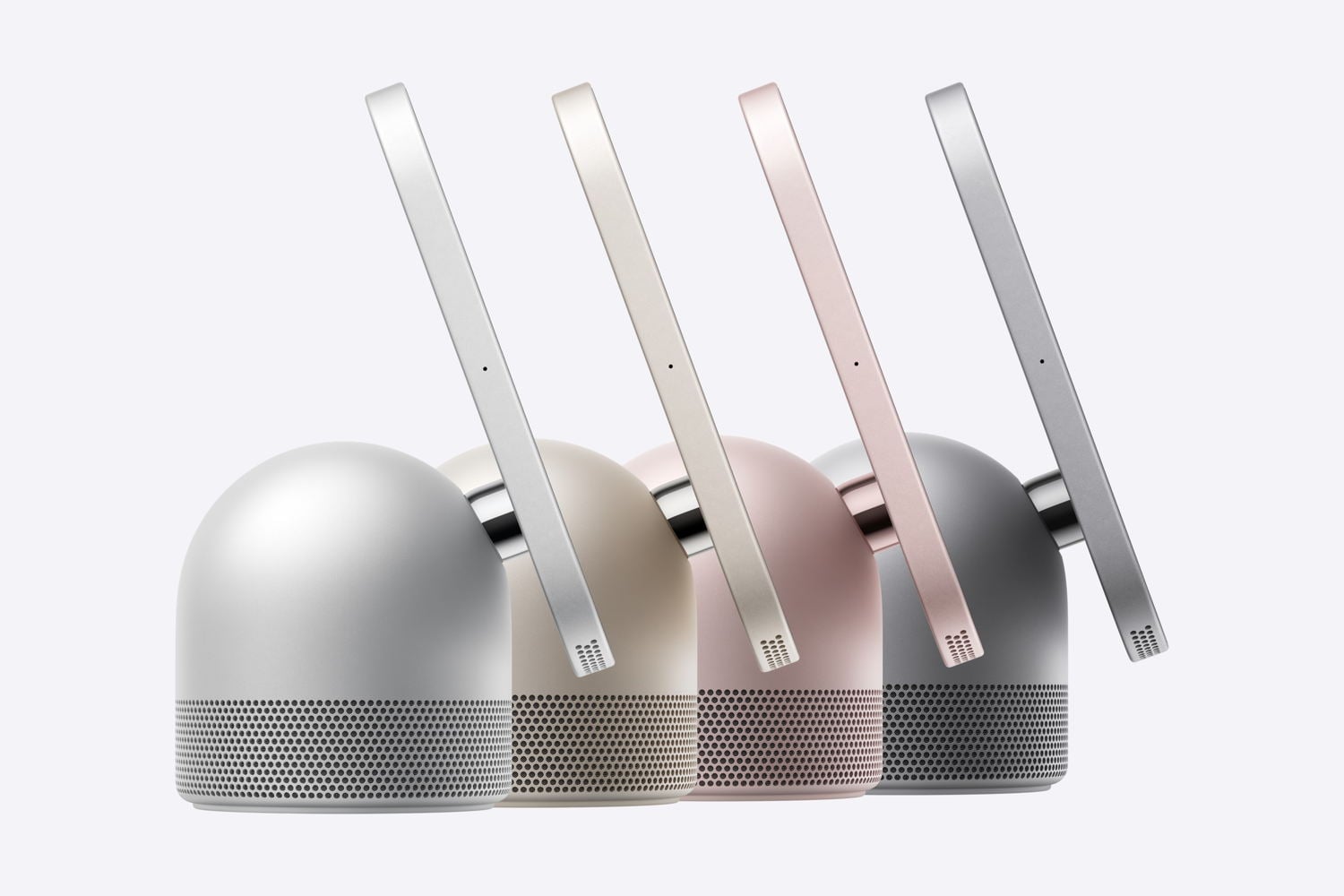
The HomeView comes in two versions. The main version contains a base, so it sits on a kitchen counter, nightstand, or table. Speaking of using it on a nightstand, Apple says that the brightness can automatically adjust from as bright as 500 nits to as little as 0.3 nits—which is even better than the latest versions of the Apple Watch, which can go down to 1 nit.
You can also get a version without a base that mounts on the wall, although you need to pay extra for mounting options. That version can either have a cord running down the wall to an outlet, or you can have a professional installer run a cord behind your wall using either AC or Power over Ethernet (PoE). To make it easy to find a professional installer, Apple has partnered with ADT, so you can simply book an appointment on the ADT website.
The HomeView display includes two speakers. If you use the model with a base, the base adds a downward-facing woofer and has other features to improve the sound quality.
Speaking of the speaker, a HomeView can use AirPlay so that it can play the same audio that is being played by your HomePods, HomePod minis, and Apple TV, making it part of a full-home speaker experience.
For an example of how a HomeView might be used in a kitchen with a busy family, check out this cute video from Apple:
The HomeView doesn’t have an App Store. Some of the apps that it uses are built in, but it is also possible for third-party developers to add apps to the screen, much like third parties can currently request permission from Apple to have a CarPlay app. Indeed, Julian Chokkattu of Wired says that “developers can bring over existing CarPlay apps” and they will “automatically appear on the HomeView after setup.” I feel like there is a lot that we still need to learn about how this device works with different apps, but what I am hearing so far sounds promising.
It comes in four colors: silver, starlight, rose pink, and space gray.
The HomeView is both something old and something new. As I mentioned above, because it can display a widget such as a clock, it is similar to what I see when using my Vision Pro. The face is also similar to a (larger) Apple Watch or CarPlay screen in that it focuses on giving you just the key information that you need. But you can also use it to watch videos, like an Apple TV, and it taps into the new and powerful Siri AI, just like an iPhone. It also works as a speaker, like a HomePod. As a result, I suspect this product will feel like something new in your home while still feeling familiar and intuitive to use.
The cost is $299. You can pre-order it now, either from Apple or on Amazon, and it will begin shipping and be available in stores starting November 13, 2026.
Apple TV 4K (4th generation)
On April 20, 2021, Apple introduced the Apple TV 4K (2nd generation) (my review) to provide support for 4K televisions and an upgraded Siri Remote. On October 18, 2022, Apple announced the Apple TV (3rd generation), which was a little faster but otherwise was very similar.
Yesterday, Apple announced the Apple TV 4K (4th generation). It uses an upgraded chip, so I presume it is a little faster. It supports the latest Wi-Fi and Bluetooth standards. There are built-in microphones, so you can talk to Siri, and it can hear you and respond even without you talking into the Siri Remote. It also comes with an improved Siri Remote that looks very similar to the prior model but supports Find My; that way, if you lose your remote (perhaps between couch cushions), you can locate it by using another Apple device. You can also connect four HomePods or HomePod minis for surround sound, if you are using the newest models.
Unfortunately, like so many other Apple devices this year, it is more expensive. An Apple TV 4K (2nd generation) was sold for as little as $169 back in 2021. This new version doesn’t have that many more features, but it costs $299.
Perhaps the biggest new feature of the Apple TV 4K (4th generation) is support for the improved Siri that also comes with iOS 27. For example, you can ask questions about the show that you are watching, and responses appear in a compact overlay on the screen. However, as Apple notes in its press release, you can also use the new Siri with the Apple TV 4K (2nd generation) and the Apple TV 4K (3rd generation). Thus, if you already use an Apple TV and don’t want any of the unique new features, such as using four HomePods for surround sound, you can stick with what you already have. And if all that you want is the new Siri Remote with support for Find My—which I can see being pretty useful if you have young kids who like to hide things—you can purchase just the new Siri Remote for $59, and it works with older models of the Apple TV.
HomePod mini 2
I’m a big fan of the HomePod mini. I have two in my living room as a stereo pair, and another in a different room so I can play music throughout the downstairs. And my daughter has one in her bedroom that I sometimes borrow to use outside when we have parties, so that the music plays both inside and outside.
The big new feature is support for the new Siri. With my HomePod mini, if I ask a question that requires tapping into knowledge of the world, I often get that unhelpful original Siri response that just offers to show me websites with the answer on my iPhone. The new HomePod mini 2 will give me the answer, much like using the new Siri on an iPhone. Curiously, the word “will” in that sentence is a prediction of the future; Apple is shipping this device starting October 30, but Apple said that support for Siri AI will be available in a future software update. We don’t know when. That’s odd since it is the major reason to get this device.
One question I have: if you already have several HomePod minis and you add a single HomePod mini 2, what happens when you talk to Siri? Will the newer model handle the request and give you the new Siri AI experience? Or, if you’re closer to an older model, will it handle your request and provide a less satisfactory response?
This update includes a few other small changes. For example, the display on the top of the HomePod mini 2 can use something called Sound Glow to display colors based on the sound and album art of whatever is playing. But since I never look at the top of a HomePod mini, that feature doesn’t matter to me.
Apple Home Collection
The Apple HomeView was the star of yesterday’s announcements, but I was just as interested to learn about something called Apple Home Collection. There have been times in the past when Apple has worked with other companies to produce an accessory for an Apple product, such as Apple working with Logitech to design the Logitech Crayon Digital Pencil for use with an iPad.
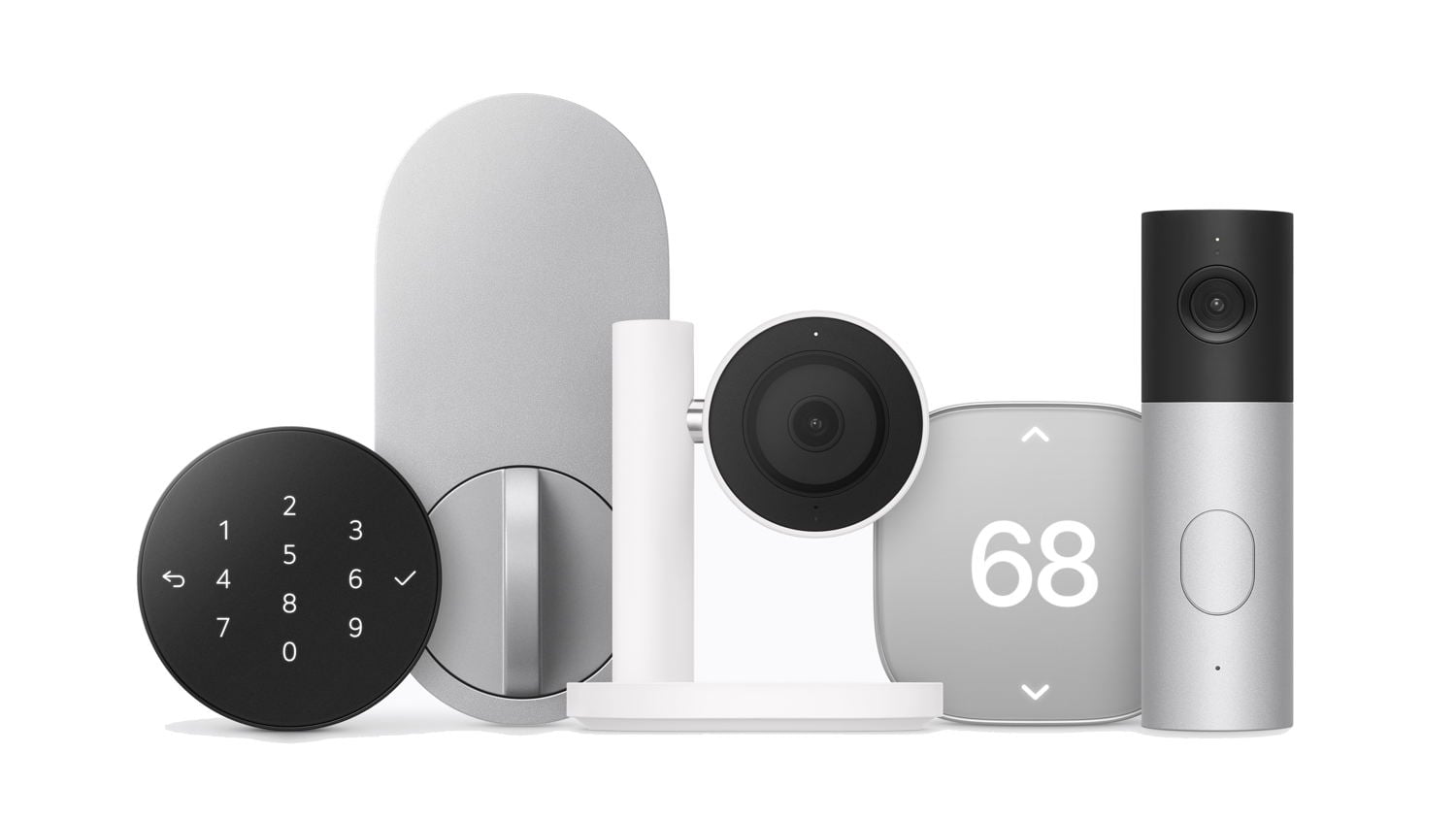
Apple is now doing something similar by working with companies that create smart home products: LG and Schneider Electric. It is unclear if Apple will be working with additional companies in the future. Unlike other smart home products that work with the Apple ecosystem (because they support HomeKit or the Matter open standard) but offer a subpar experience, products that are part of the Apple Home Collection all feature what Apple calls a “clean, minimal aesthetic and premium materials, with every detail considered, from how they mount and adjust to how they look and feel alongside Apple products throughout the home.” For example, you won’t see the big letters “LG” or similar logos on these products. And they are designed to respect privacy, a key concern for Apple.
For now, the lineup is limited, but it hits the high points. There is an LG video doorbell, LG floodlight camera, LG outdoor camera, LG indoor camera, LG smart deadbolt lock, and thermostats and home room sensors from LG and Schneider Electric.
Perhaps the most interesting design among these is in the LG indoor camera. Many people are sensitive about a camera inside their house that looks at them. This camera tilts downward so it cannot see anyone when it senses a user is in the home—I presume because their iPhone is in the house. When nobody who lives in the home is home, the camera tilts back up so that it can show pets, intruders, etc.
Note that all these cameras are wired. One thing I like about the Eufy outdoor cameras at my house is that I don’t need to run a wire to them; they have a battery. Yes, that means that I need to take them down and charge them occasionally—except for one of my cameras, which is in a location where it gets enough sunlight on the solar panel on its top to stay charged—but that tradeoff is acceptable to me. Of course, wired cameras have many advantages, such as staying on all the time, so you may decide a wired setup is a better option for you.
I’m glad Apple announced the Apple Home Collection, and I hope they add more products to the collection in the future. It is nice to be able to choose a product you know will work well because it has Apple’s seal of approval.
Welcome home
Some of these individual announcements are bigger than others, but taken together, they show a new emphasis from Apple on helpful smart home products. And that new emphasis is probably more exciting to me than any of the specific products. Except, perhaps, for the Apple HomeView: it not only seems useful, but you have to admit, it also looks adorable.
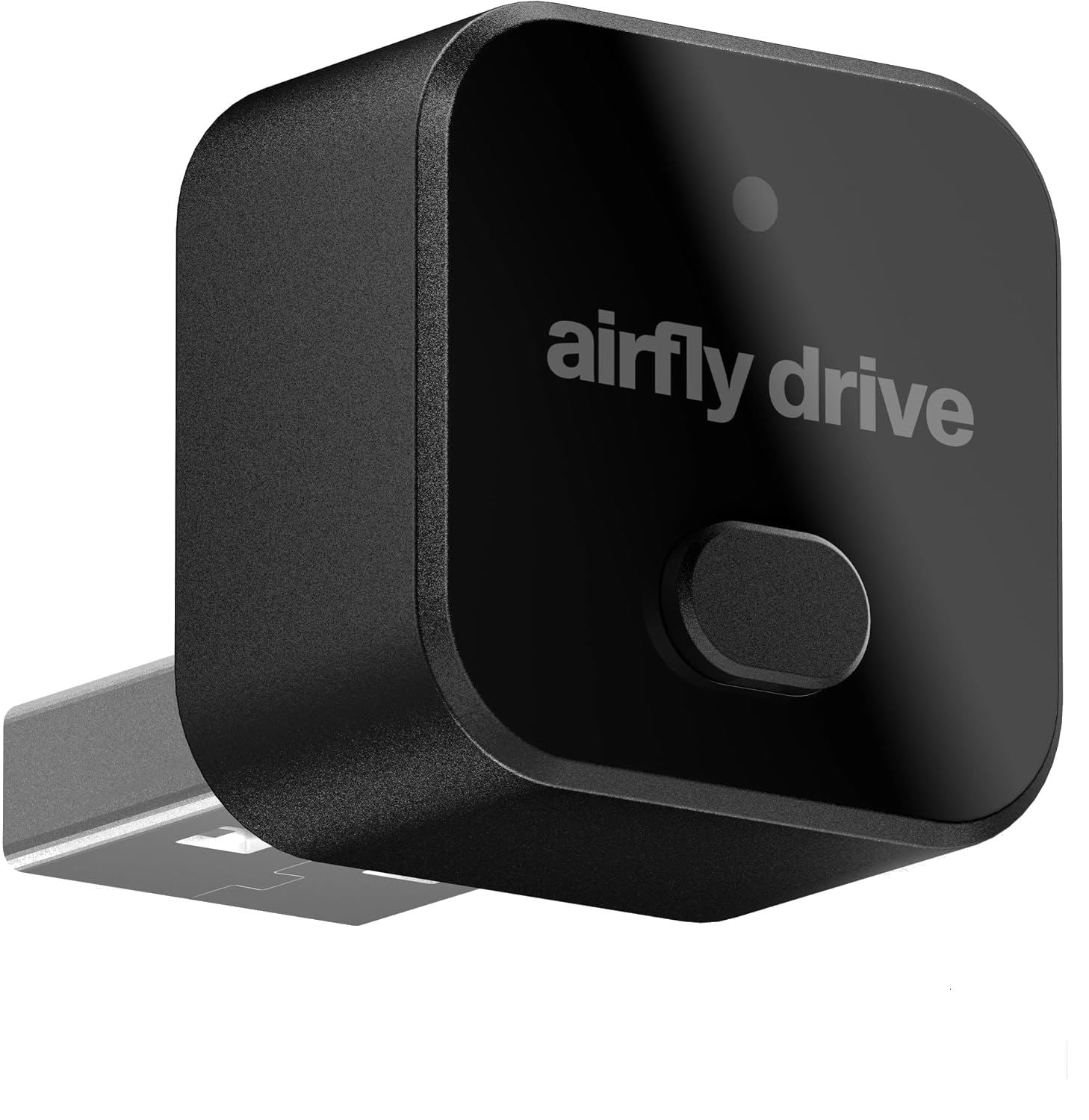
Most cars that support Apple CarPlay require you to connect a USB cable from your car to your iPhone. Some newer cars support wireless CarPlay, which is nice because your car connects to your iPhone automatically. Twelve South—a company with a long history of making excellent accessories for Apple products—recently released the AirFly Drive ($39.99 on Amazon), a tiny device that plugs into your car’s USB port to add support for wireless CarPlay. I bought one, and I’ve been using it for about a week. I love it, and I recommend that you check it out.
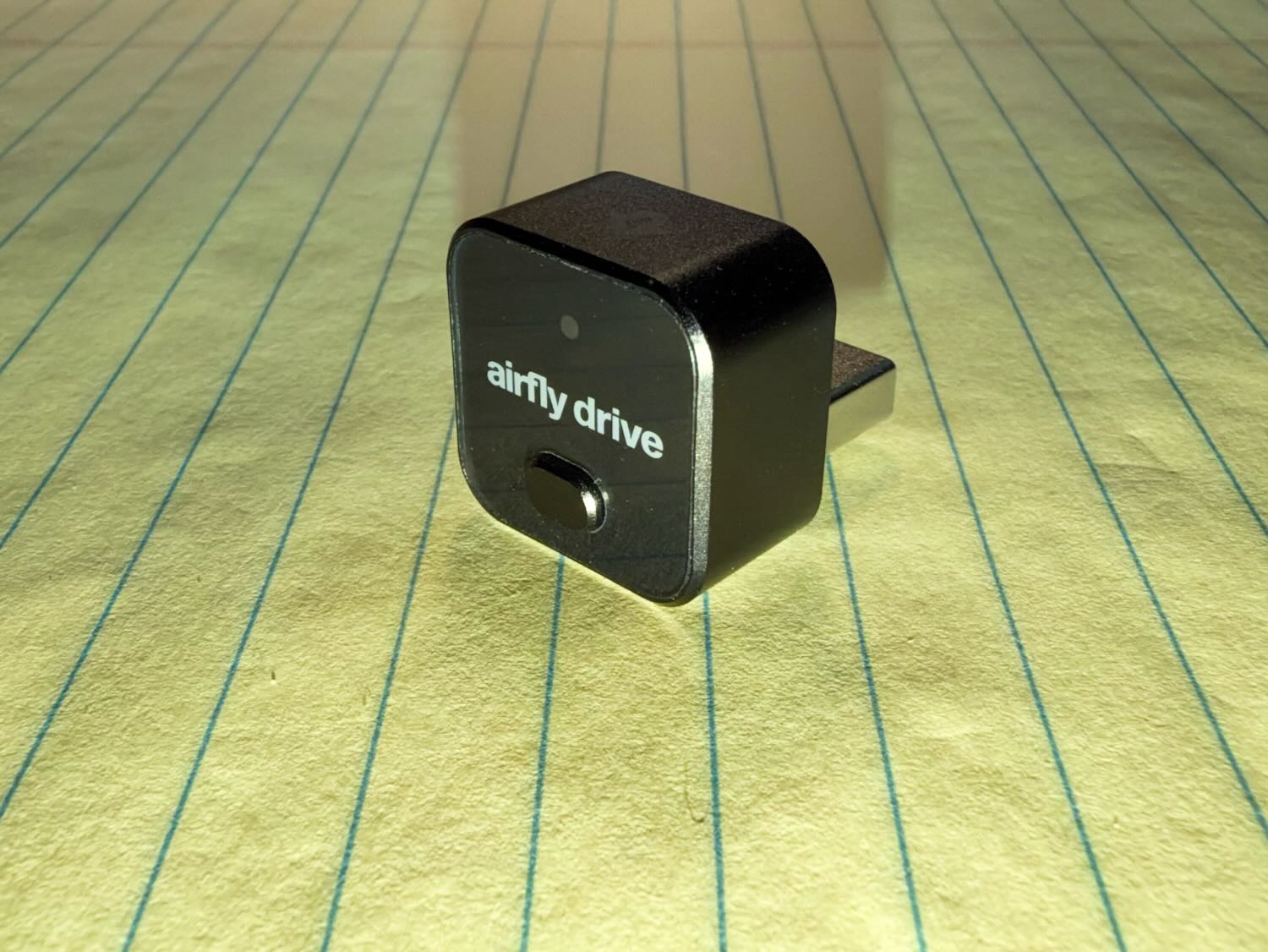
The device is tiny, less than an inch long and wide. The idea is that once you plug it into your USB port, you can barely even see it.
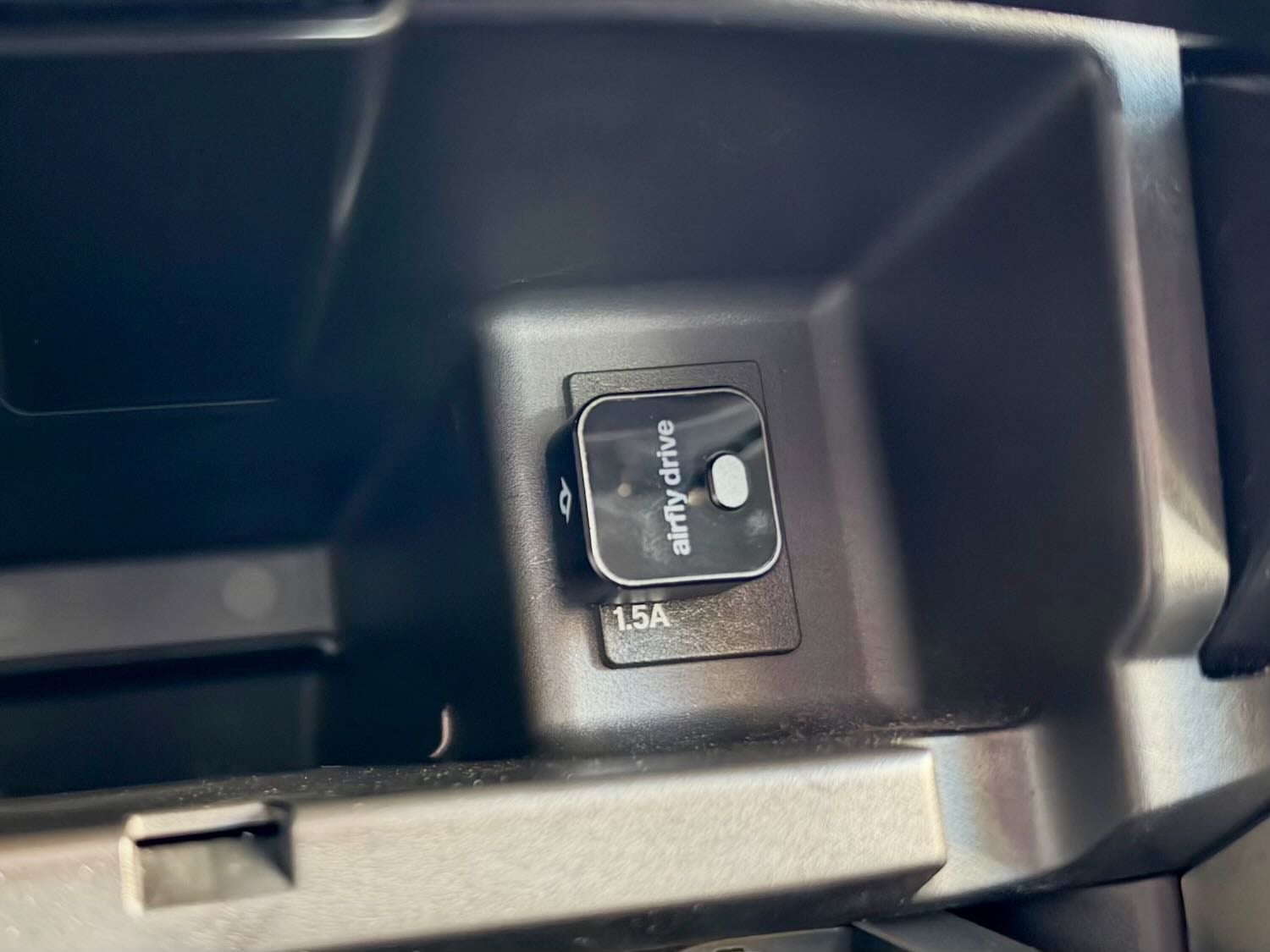
In my car (a Honda Accord), my USB port for CarPlay is in a compartment in my center console with a cover that lifts up and then closes. Thus, you definitely cannot see it in my car, once I close the cover.
If your car uses USB-C instead of USB for CarPlay, the AirFly Drive comes with a USB-C to USB dongle.
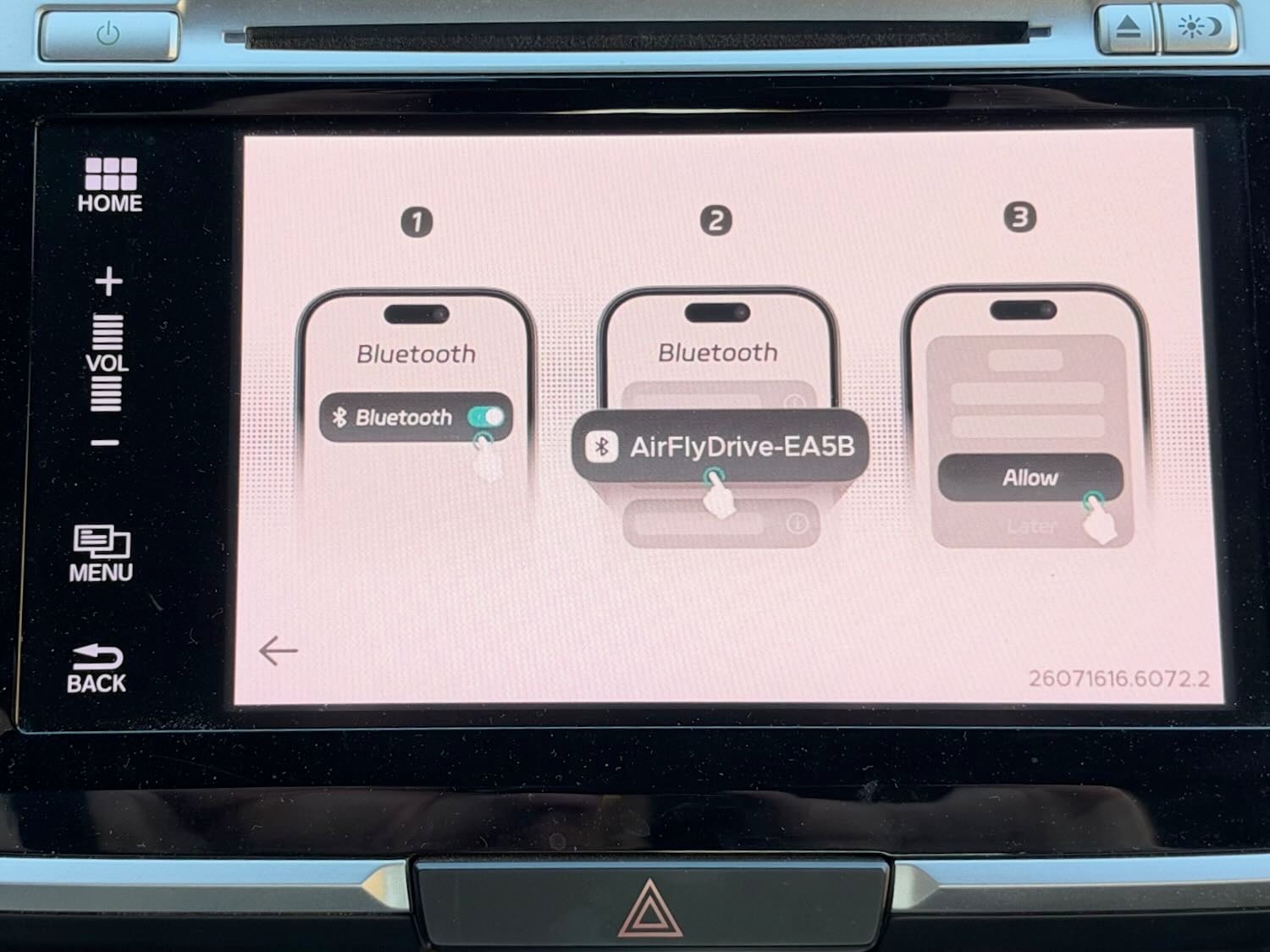
When your car starts up, just before you see the CarPlay screen, you see the AirFly Drive screen for about a second or so. That screen gives you directions for connecting to your iPhone via Bluetooth, but you only have to do so once. After that initial pairing, your iPhone connects automatically after you start your car.
Once connected, you get the same CarPlay experience you have probably used for years. Everything just works. The only change I have noticed is that when I use the buttons on my steering wheel (for example, to fast-forward), there is a very tiny delay before my iPhone responds. I don’t find it annoying, but it is something that I can notice.
Wireless CarPlay is nice because you can get in your car and start driving without worrying about pulling out your iPhone, connecting it with a cable, and finding a place to store your iPhone with that cable connected while driving. I typically keep my iPhone in my shirt pocket, and it is nice to just leave it there while I am driving. When I arrive at my destination, I can just turn off my car and go, without having to deal with the cable. If you keep your iPhone in a purse, briefcase, etc., you’ll appreciate the convenience even more than I do. As a bonus, I don’t have to worry about the cable getting in my way while I am driving.
I used to think I would always prefer a wired connection so I could charge my iPhone while I use CarPlay. If you rely on the time in your car to keep your iPhone sufficiently charged, this product is not for you. But I typically have plenty of battery life on my iPhone. Moreover, most of my car trips are so short that the time I would spend charging doesn’t make much difference anyway. When I am in my office, I often put my iPhone on a charger to take advantage of StandBy mode (to see a clock, my calendar, etc.), and that mode keeps my iPhone fully charged.
The next time I take a very long drive, I may disconnect the AirFly Drive and use the cable to keep my iPhone charged over that extended distance. But for my daily driving, I prefer the wireless CarPlay experience.
If you share your car with someone else, a small button on the AirFly Drive lets you switch between two Bluetooth connections. Now that my daughter is in college, I’m not sharing my car with anyone, so I haven’t tested that button.
Twelve South is not the first company to make a product like this, but Twelve South is a company that I trust because I’ve used its products for years. For example, the original AirFly device (here is my 2018 review; the product has been updated since then) plugs into the audio port on an airplane so that you can use your AirPods with the plane’s built-in entertainment system.
If you want to try out wireless CarPlay even though your car doesn’t natively support it, this small and inexpensive device is worth checking out. I think that you will like it.
It is always exciting to anticipate new products from Apple, and we are just a few days away from Apple’s newest smart home products. Thus, Brett Burney and I begin this week’s episode of the podcast discussing what we hope and expect to see from Apple on Tuesday. We also talk about Tim Cook with the King, why the newest AirPods may be a good alternative to the AirPods Pro, Florida’s decision not to support a digital driver’s license for the Apple Wallet app, and more.
In our In the Know segment, Brett shares a tip for accessing apps on the Apple Watch, and I share some backup tips that can save your bacon if a hard drive fails—which happened to me this week.
Welcome home! On Tuesday, October 13 at 9:00 Eastern, Apple is holding an event in Tribeca, New York, to announce new products for the home, as reported by Ryan Christoffel of 9to5Mac (and many others!). Rumors suggest we will see a new version of the HomePod with a screen—maybe they will call it a HomePad?—that can act as a central hub for your home. Also expected are new versions of the HomePod mini and a new Apple TV 4K. Lewis Wallace of Cult of Mac suggests we may also see smart home devices like a door lock, thermostat, video doorbell, indoor camera, outdoor camera, floodlight camera, temperature sensor, or more. John Gruber of Daring Fireball discusses the rumor, from Mark Gurman of Bloomberg, that Apple partnered with LG to create those devices. I’ve long been a fan of smart home technology that improves my quality of life, and I’m very excited to find out what Apple has been working on. And now, the news of note from the past week:
I hate to put too much credence in rumors, but since we are talking about October Apple announcements, I would be remiss if I didn’t also mention that Mark Gurman of Bloomberg is predicting that around October 27, Apple will announce a new iPad mini, MacBook Pros with touchscreens (a first for a Mac), and perhaps more, as noted by Chance Miller of 9to5Mac. We’ll see.
If you haven’t yet upgraded to iOS 27 because you are waiting for your iPhone to tell you to do so, your iPhone apparently waited longer than normal, as noted by John Gruber of Daring Fireball, in an effort to let Apple slow the ramp-up to Siri AI. But according to Joe Rossignol of MacRumors, Apple is now starting to encourage people to upgrade. You really should upgrade because there are so many great features. Indeed, if you haven’t checked out last week’s episode of the In the News podcast (YouTube link), you should because it’s made up entirely of great iOS 27 tips.
David Phelan of The Independent interviewed Tim Cook to talk about his new job at Apple now that he is no longer CEO. The article also mentions how some creative kids in London got a chance to meet Tim Cook, the King, and Elton John.
Text messages between two iPhones—the blue bubbles—are typically encrypted and secure. But as noted by Glenn Fleishman of Six Colors, there are certain circumstances in which the messages are not encrypted.
If you use an iPhone 18 Pro Max on AT&T, update to iOS 27.0.1 now if you haven’t already to prevent a problem that could stop your iPhone from making cellular calls, as explained by Chance Miller of 9to5Mac. (That update was released on September 28, 2026.) Note that the iPhone 18 Pro—without the “Max”—doesn’t have the problem because it uses Apple’s C2 modem instead of a Qualcomm modem.
I’ve long been a fan of TextExpander. I use it on my PC at work, my Mac at home, and my iPad and iPhone. Marcus Mendes of 9to5Mac reports that TextExpander now has a free version, a great way to try it out. The free version only supports five snippets, but that is more than enough to try it out and see what you think.
Ryan Christoffel of 9to5Mac reports that Florida won’t adopt Apple Wallet driver’s licenses because Florida Governor Ron DeSantis says: “The convenience of a digital driver’s license is outweighed by the potential for government to abuse it.” Meanwhile, everyone who lives in a state that has long supported a digital driver’s license in Apple Wallet is saying: What in the world are you talking about?!? To be fair, I know some privacy advocates, like the ACLU, have warned that digital licenses could be abused by a government if the government also gained the ability to monitor where you were and what you were doing every time you present a digital license. But the Apple Wallet app specifically does not do that.
Ryan Christoffel of 9to5Mac reports that a new show on Apple TV called Small Prophets has been getting a lot of great buzz. The show debuted in the UK earlier this year, and Apple purchased the worldwide distribution rights. This is the first time that Apple has done something like this.
And finally, I enjoyed the first season of the Apple TV show Stick, and Season 2 starts on November 4th. The following trailer does give away some details about a big plot twist in Season 2, but my guess is that it is all stuff that we will learn in the first episode, and it is a fun trailer that gets me excited for the new season.